
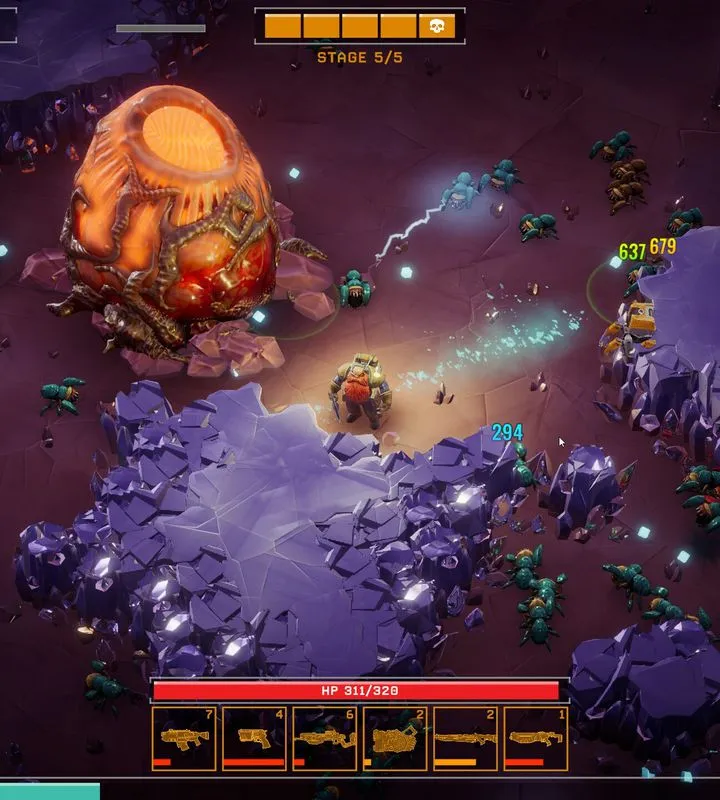
Navigate the alien depths with ease! This guide details essential controls, UI elements, and tips for Deep Rock Galactic: Survivor to maximize your mining and combat efficiency.
Deep Rock Galactic: Survivor, a spin-off of the popular cooperative shooter, introduces players to a Reverse Bullet Hell Roguelike experience. Understanding the game's controls and user interface (UI) is high-stakes for survival and success against the relentless alien hordes. This guide breaks down the essential elements you need to know.
| Action | Default Keybind |
|---|---|
| Move Forward | W |
| Move Backward | S |
| Move Left | A |
| Move Right | D |
| Primary Weapon | Left Mouse Button |
| Secondary Weapon | Right Mouse Button |
| Reload | R |
| Interact/Mine | E |
| Use Equipment (e.g., Flare, Zipline) | Q |
| Jump | Spacebar |
| Crouch | Ctrl |
| Sprint | Shift |
| Map | Tab |
| Inventory/Loadout | I |
| Pause/Menu | Escape |
UI Elements:
- Health Bar: Displays your current health. Depletes as you take damage.
- Ammo Count: Shows the remaining ammunition for your currently equipped weapon.
- Objective Tracker: Displays the current mission objective and progress.
- Minimap/Radar: Provides a tactical overview of your immediate surroundings, including nearby objectives, enemies, and resources.
- Resource Counter: Tracks the amount of minerals and other resources you have collected.
- Experience Bar: Shows your progress towards the next level.
- Class Ability Cooldown: Indicates when your class-specific abilities are ready to be used again.
Tips for Controls and UI
- Keybind Customization: Explore the game's settings to rebind keys to your preference for optimal comfort and efficiency.
- UI Scaling: Adjust UI elements to your screen size and resolution for better readability.
- Situational Awareness: Regularly check your minimap and objective tracker to stay informed about the mission's status and potential threats.
- Resource Management: Keep an eye on your ammo count and resource inventory to ensure you have what you need for combat and objectives.
- Ability Timing: Learn the cooldowns of your class abilities and use them strategically during intense combat encounters or when facing environmental hazards.
100% Human-Written. Community Verified. Learn how Ludo.guide verifies content