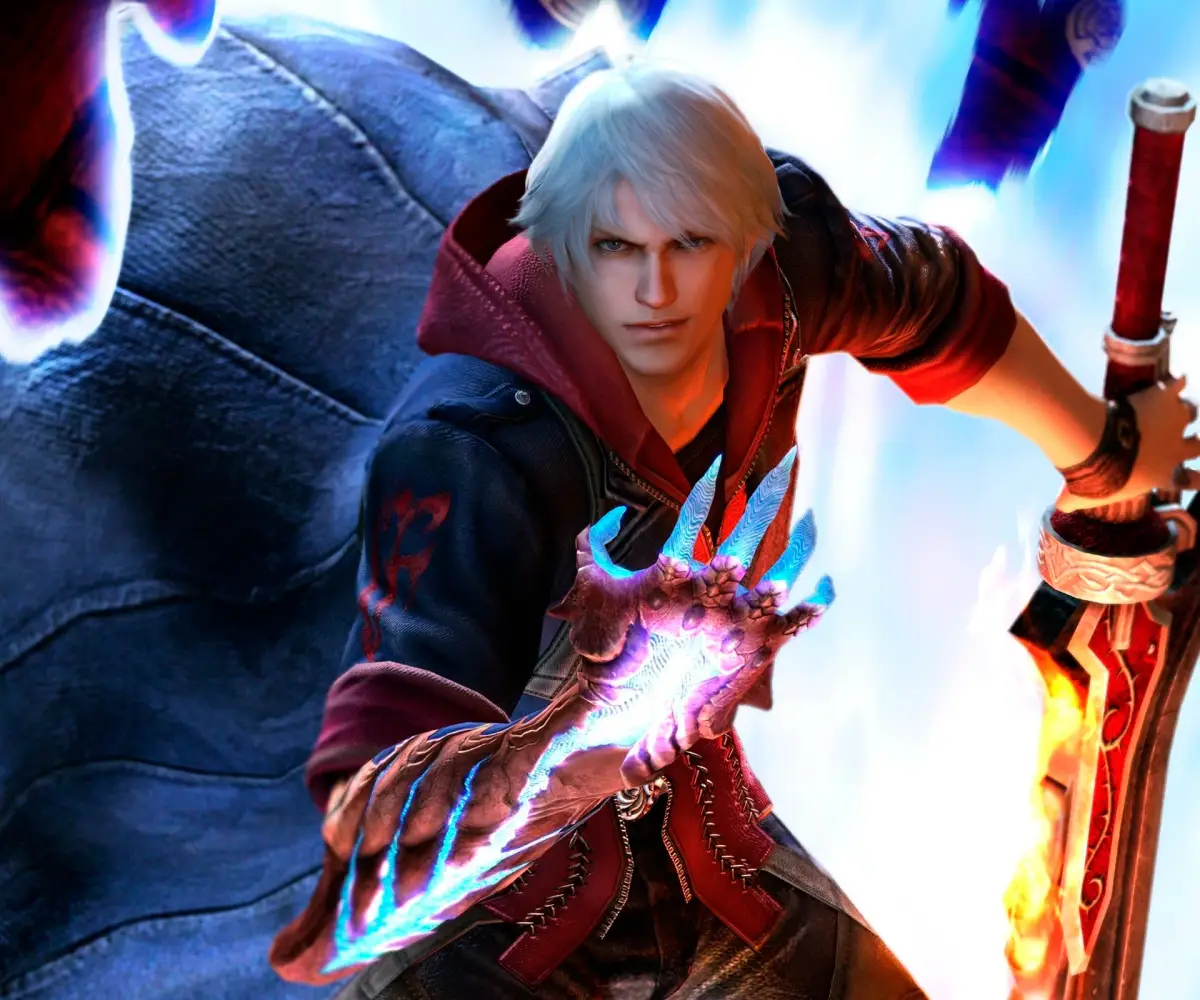
Welcome to Devil May Cry 4, a stylish third-person action RPG where you'll master the agile combat of Nero and the flashy flair of Dante. You'll be battling hordes of demons, taking on challenging bosses, and navigating through 20 distinct missions. It's a game that rewards skillful play and offers a rich story with an atmospheric presentation and a killer soundtrack.
This guide is here to help you conquer every challenge the game throws at you. We'll cover strategies for tough boss battles, tips for efficient UI navigation, and the vital locations for collecting Blue Orb Fragments to maximize your power. Whether you're aiming to unleash maximum style or just want to overcome specific obstacles, this guide has you covered.
[IN00]
Devil May Cry 4 IN00 walkthrough: Learn how to complete the tutorial mission and master the basic controls.
- 1Follow the on-screen prompts to learn basic movement and camera controls.
- 2Engage in combat against the initial enemies, practicing basic attacks and dodges.
- 3Learn how to use Nero's Devil Bringer (grab) ability.
- 4Defeat the first boss, Berial, by following the on-screen prompts and deploying learned combat techniques.
- Pay close attention to the tutorial prompts; they explain essential mechanics.
- Practice dodging enemy attacks to avoid taking damage.
- The Devil Bringer can be used to grab enemies and throw them, or to pull yourself towards certain points.
- Berial has specific attack patterns that can be learned to make the fight easier.
G E T T I N G S T A R T E D
Learn the basics and controls for Devil May Cry 4, including character move lists and advanced techniques.
This guide provides essential information for new players starting Devil May Cry 4. It details the basic controls necessary for gameplay and includes a complete move list for every character. Additionally, advanced techniques are explained to help you perfect the combat system.
- Familiarize yourself with the basic controls before attempting advanced techniques.
- Practice each character's move list to understand their unique combat styles.
- Experiment with advanced techniques to discover powerful combos.
[BS01]
Master Devil May Cry 4's controls for PS3, Xbox 360, and PC. Learn every button prompt for Nero and Dante to unleash stylish combos and devastating attacks.
Alright, let's get you set up with the controls for Devil May Cry 4 Special Edition. Knowing these inside and out is key to pulling off those awesome stylish combos. We'll break down the PlayStation 3, Xbox 360, and PC layouts for both Nero and Dante.
First off, a quick note: L3 and LS mean pushing in the Left Analog Stick, while R3 and RS mean pushing in the Right Analog Stick. The D-pad is just your Directional Pad. Got it? Good.
Nero Controls
When you're playing as Nero, here's what you need to know:
Playstation 3
| Button | Action |
| [] | Gun Attack |
| /\ | Melee Attack |
| O | Devil Bringer |
| X | Jump |
| R1 | Lock-on |
| L1 | Devil Trigger (acquired in Mission 6) |
| L2 | Exceed |
| L3 | Change target |
| R3 | Center Camera |
| Start | Pause Menu |
| Select | Taunt |
| Left Analog | Move character |
| Right Analog | Rotate camera |
Xbox 360
| Button | Action |
| X | Gun Attack |
| Y | Melee Attack |
| B | Devil Bringer |
| A | Jump |
| RB | Lock-on |
| LB | Devil Trigger (acquired in Mission 6) |
| LT | Exceed |
| LS | Change target |
| RS | Center Camera |
| Start | Pause menu |
| Back | Taunt |
| Left Analog | Move character |
| Right Analog | Rotate camera |
Dante Controls
Dante's got a bit more going on, especially with his styles and weapon switching:
Playstation 3
| Button | Action |
| [] | Gun Attack |
| /\ | Melee Attack |
| O | Style Action |
| X | Jump |
| R1 | Lock-on |
| L1 | Devil Trigger |
| R2 | Switch Devil Arm |
| L2 | Switch gun |
| L3 | Change target |
| R3 | Center Camera |
| Start | Pause Menu |
| Select | Taunt |
| Left Analog | Move character |
| Right Analog | Rotate camera |
| D-pad up | Trickster |
| D-pad down | Royal Guard |
| D-pad right | Swordmaster |
| D-pad left | Gunslinger |
Note: Once you get the Dark Slayer style, you can tap any direction on the D-pad twice to switch to that style.
Xbox 360
| Button | Action |
| X | Gun Attack |
| Y | Melee Attack |
| B | Style Action |
| A | Jump |
| RB | Lock-on |
| LB | Devil Trigger |
| RT | Switch Devil Arm |
| LT | Switch gun |
| LS | Change target |
| RS | Center Camera |
| Start | Pause menu |
| Back | Taunt |
| Left Analog | Move character |
| Right Analog | Rotate camera |
| D-pad up | Trickster |
| D-pad down | Royal Guard |
| D-pad right | Swordmaster |
| D-pad left | Gunslinger |
PC Controls
For our PC players, here are the default keybinds that work for both Nero and Dante:
| Key | Action |
| W | Move forward |
| S | Move backward |
| A | Move left |
| D | Move right |
| I | Melee Attack |
| J | Gun Attack |
| K | Jump |
| Space | Lock-on |
| N | Devil Trigger |
| M | Taunt |
| O | Change target (while locked-on) |
| Q | Change long-range weapon (Dante)/Exceed (Nero) |
| E | Change melee weapon (Dante)/Exceed (Nero) |
| L | Buster (Nero)/Style Action (Dante) |
| P | Reset camera |
| Arrow Keys | Rotate camera |
Quick Tip: When an enemy is locked on, you'll see their health bar around the bluish circle that appears on them. Keep an eye on that!
[BS02]
Learn about the Devil May Cry 4 PS3 installation prompt that appears when starting the game for the first time.
When you start Devil May Cry 4 for the first time on a PlayStation 3, you will see a message asking if you want to start the installation of game data onto the system's Hard Drive. This installation is required to play Devil May Cry 4.
- Ensure you have sufficient free space on your PS3 Hard Drive for the installation.
- The installation process is necessary to avoid issues and ensure smooth gameplay.
Similar guides you might like





100% Human-Written. Community Verified. Learn how Ludo.guide verifies content