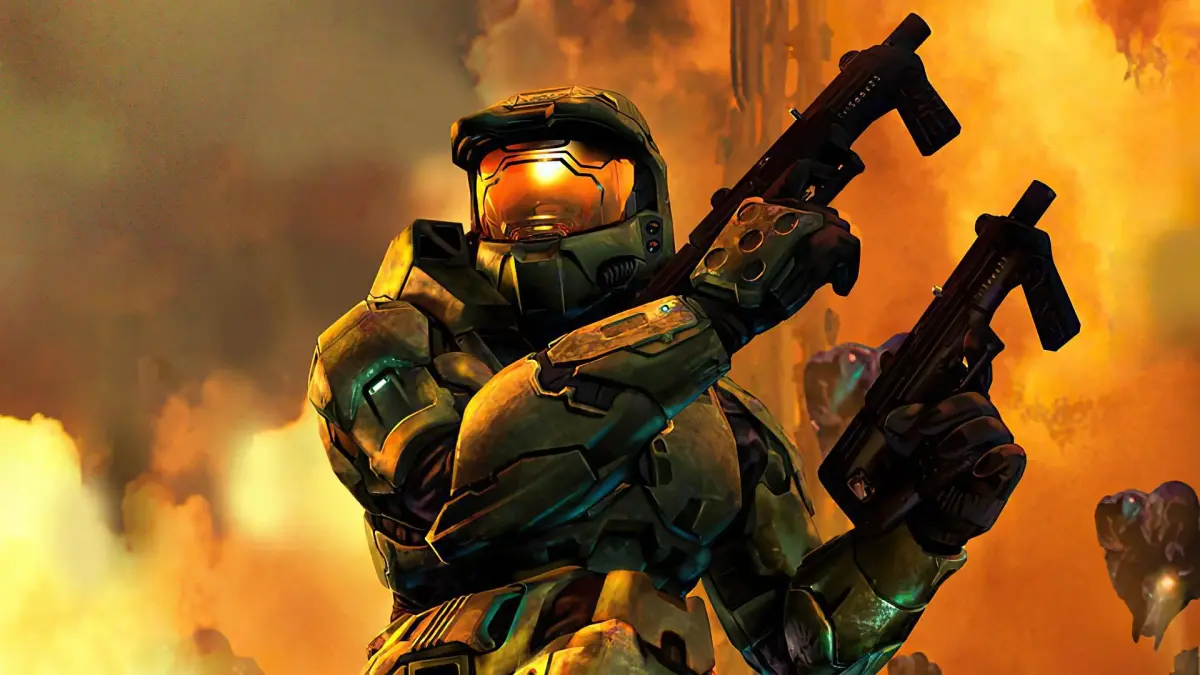
Welcome back to the fight, Spartan! Halo 2 throws you into an epic journey across the Halo universe, continuing the saga of Master Chief. You'll be blasting through Covenant forces, navigating intricate missions, and uncovering the deeper lore of this iconic sci-fi shooter. Whether you're a returning veteran or new to the Master Chief Collection's reworked experience, prepare for a challenge, especially on Legendary mode.
This guide is your essential companion to mastering Halo 2. We'll help you conquer every challenge, from the intense combat encounters to finding those elusive collectibles like Skulls and Terminals, such as the ones hidden in Mission 7: Oracle and Mission 10: Uprising. We’ve got the strategies you need to get through the campaign, inside and out.
Author's Note
Halo 2 continues the FPS legacy with Master Chief, online gameplay via XBOX Live, and future updates from Bungie.
Halo defined the XBOX, combining unique elements, great graphics, music, and gameplay. Its action, featuring aliens, mysterious threats, and Master Chief, made it a gamer's dream. Halo 2 continues this ecstasy, featuring Master Chief and numerous alien representatives. It builds upon the FPS legacy by adding online gameplay with XBOX Live support, viewable stats, and plenty of future updates from Bungie.
- Pull the trigger in the name of the universe, or be slaughtered.
Contributing/Feedback
Submit your Halo 2 contributions, feedback, and strategies to the guide for credit. Ask questions to be added.
If you have any contributions, feedback, or strategies you'd like to have added to the guide, contact the author via e-mail or on GameFAQs. The author is willing to add your segment of information and will provide credit. If you have any questions you'd like added to the Common Questions section, ask. The author does not have the time to think of questions and requests that you provide what you want to know.
- E-mail or contact on GameFAQs to submit information.
- Provide specific questions you want answered in the guide.
- All contributions will receive credit.
- 1) Introduction -
Discover the epic continuation of the Halo saga with Halo 2. Step back into the Master Chief's boots and defend Earth from an alien invasion in this classic first-person shooter.
The first-person shooter genre is often met with strong opinions. When developers craft a magnetic experience, it's typically met with high scores. However, games that truly innovate and exceed expectations achieve legendary status. Halo, born from a trilogy of books detailing human-alien conflict in the future, evolved into one of the premier shooters of its generation. Bungie, renowned for introducing novel mechanics to the genre, developed the original Halo exclusively for the X-BOX, making it a system-defining title. Now, Halo 2, the sequel, returns with the same heroic protagonist, offering new perspectives from both the alien Covenant and detailing an epic siege requiring intense firefights to overcome.
Players once again assume the role of the Master Chief, a highly augmented Human Space Marine equipped with advanced armor. Taking advantage of futuristic technology, you will engage in close-quarters combat, use vehicles, and defend Earth from an encroaching alien threat. Set in the 26th century, the game features highly advanced technology. Scout reports indicate a massive Covenant fleet approaching Earth, and it's up to you and fellow space marines to repel this invasion.
SECRET TRANSMISSION
To: Office of Naval Intelligence (ONI)
From: Cortana, UNSC Pillar of Autumn shipboard AI
Re: SPARTAN-117 and the Destruction of Halo
Sir. The attached data-bursts detail our recent harrowing experiences. After Reach fell, I adhered to Cole protocol and departed the Pillar of Autumn. Using astronomical symbols SPARTAN 117 acquired from a Covenant vessel, I plotted a course into an uncharted system near a late-life gas giant, designated "Threshold." To my astonishment, an artificial ring construct, 10,000 kilometers in diameter, was in orbit. I initially suspected it was a Covenant installation, but it was not. However, the enemy had tracked us and was waiting near the ring. Instead of attempting disk capture, Captain Keyes ordered my upload into SPARTAN 117's neural network. While we evacuated the ship, the Captain managed to land the Autumn on the ring, saving many crew members.
The Covenant referred to the ring as "Halo." A prophecy concerning Halo's existence appears central to their religion, and its discovery generated significant excitement on their battle network. During our initial operations on Halo's surface, we encountered an artificial intelligence, designation "343 Guilty Spark." This AI stated its primary function was the containment of a parasitic life form known as "The Flood." Through access to Halo's deep data cores, I learned the ring was constructed by an ancient race, known to the Covenant as "The Forerunners," as a final defense against the Flood. A significant Flood population was in stasis on the ring, and the Covenant, intentionally or not, released the parasite – a tactical misstep.
343 Guilty Spark persuaded SPARTAN 117 to activate Halo's primary weapon system to eradicate the Flood. The AI failed to disclose that, due to the Flood's nature of consuming any suitable sentient host, Halo would indiscriminately target all life forms. In essence, if Halo fired, it would annihilate every thinking being in the galaxy – Human, Covenant, and all others. Upon realizing this catastrophic potential, SPARTAN-117 and I determined our only course of action was to destroy Halo, preventing 343 Guilty Spark from completing his objective and denying the Covenant a weapon of unimaginable power. We leaned on the Pillar of Autumn's fusion reactors to initiate a chain reaction that annihilated the ring. Regrettably, Captain Keyes was lost to the Flood.
Regarding our ongoing conflict with the Covenant, our time on Halo proved invaluable. I acquired substantial new intelligence for our database on Covenant weaponry, technology, tactics, and societal structure. Furthermore, SPARTAN-117's combat prowess and the ring's destruction resulted in significant enemy casualties and material losses. However, I anticipate the Covenant will react severely to the obliteration of their sacred artifact. Having provoked them, we are now returning home with utmost urgency.
GAME INFO
- Players: 1-16 (with X-BOX Live support or system link)
- Developer: Bungie
- Released: 2004
- Rarity: Very Common
- Special Features: HDTV 480p, Content Download, Scoreboards, X-BOX Live, Voice, Clans
- ESRB: Mature (17+)
- Cover Art: Depicts Master Chief standing near ground level on a desolated Earth.
- 2) Game Basics -
Learn the essential Halo 2 controls for movement, combat, and vehicle interaction. Understand the Heads-Up Display (HUD) elements like ammo, radar, and weapon indicators.
The X-BOX controller is well-suited for first-person shooters like Halo 2 due to its dual joysticks and numerous buttons. The controls are intuitive and quick to learn. Consider enabling inverted controls if you are accustomed to them.
Key Representation:
- Thumbstick: Left/right thumbstick pads
- Control Pad: Left directional pad
- A: Green button
- B: Red button
- X: Blue button
- Y: Yellow button
- R: Black trigger (right)
- L: Black trigger (left)
- START: Black center button
- BACK: Black center button
- Black: Black right button
- White: White right button
Game Controls
- Left Thumbstick
- Moves character, strafes left/right
- Left Thumbstick Click
- Crouches; hold down to stay crouched
- Right Thumbstick
- Aims up/down, turns left/right
- Right Thumbstick Click
- Zooms scope (click once)
- L
- Throws grenade, fires left weapon, boosts vehicles, brakes Warthog
- R
- Fires primary/right weapon, honks Warthog horn
- START
- Pauses game, shows settings
- BACK
- Brings up current score
- Up (Control Pad)
- Enables team chat
- A
- Jumps
- B
- Melee attacks
- X
- Reloads (press once); action button; hold down to enter/hijack vehicle
- Y
- Switches weapons (press once); hold down to pick up second weapon and dual wield
- Black
- Swaps grenade types
- White
- Turns on flashlight; press once to enable team chat
Moving your character uses the left thumbstick for movement and the right for aiming. Crouching reduces your profile and makes you invisible to radar but requires holding the stick down, which can be tiring. Some weapons, like the Sniper Rifle and Beam Rifle, feature zoom capabilities. Throw grenades with L. If dual-wielding, you must drop one weapon by pressing Y once to use grenades. Team Chat allows communication with teammates across the map by pressing the White button once and speaking; it's proximity-activated and stays on while you speak. Jumping is useful for reaching elevated areas or crossing gaps but makes you a more vulnerable target.
Melee attacks are effective at close range or when out of ammo, essentially using your weapon as a blunt instrument. A melee attack from behind results in an instant kill, known as an assassination. Press X once to reload or hold it over a weapon to pick it up. You can carry two weapons, either dual-wielded or separately. To hijack a vehicle, get close, jump, and hold X; this is difficult on Banshees but possible with good timing. Dual-wielding allows you to fire two weapons simultaneously. Hold Y over another weapon to pick it up, even if it's different from your current one. Grenades cannot be thrown while dual-wielding, but you can combine various weapons. The Shotgun, Rocket Launcher, and Sniper Rifle cannot be dual-wielded. There are two grenade types: explosive and plasma, switchable with the Black button if both are in your inventory.
Screen HUD
The Heads-Up Display (HUD) provides make-or-break in-game information:
HUD Element Key:
- [1] Left Weapon Indicator
- Shows ammo for your left weapon or grenades (if not dual-wielding).
- [2] Secondary Weapon
- Displays your secondary weapon if dual-wielding or normal wield. Blank if only one weapon is held.
- [3] Right Weapon Indicator
- Shows ammo for your right/primary weapon.
- [4] Radar
- Displays enemies as red dots and friendlies as yellow dots. This is proximity-based.
100% Human-Written. Community Verified. Learn how Ludo.guide verifies content