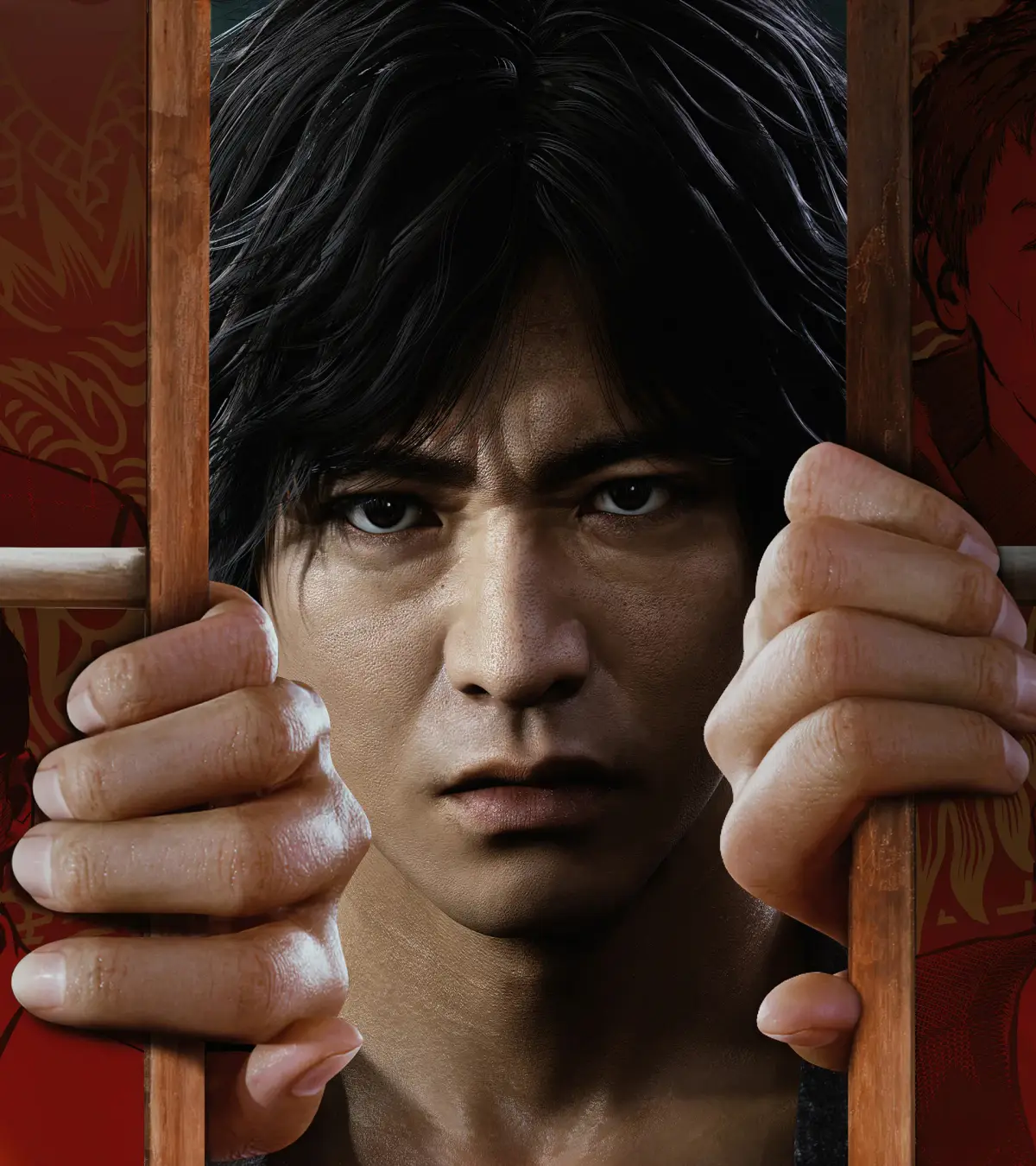
Lost Judgment throws you into the shoes of Yagami, a detective navigating the gritty streets of Kamurocho. You'll be piecing together evidence, tailing suspects, and engaging in intense brawls with street thugs. This action-adventure RPG blends legal drama with satisfying hack-and-slash combat, offering a deep dive into a compelling mystery.
This guide is your comprehensive walkthrough for Yagami's investigation. We'll cover everything from understanding the game's UI and mastering combat to tackling every crucial chapter and side case. Stuck on a tough boss, need help with mini-games, or aiming for all those Steam Achievements? This guide has you covered, ensuring you can solve the case and master all aspects of Yagami's work.
Menus
Navigate the Title, Pause, and Settings menus in Lost Judgment. Access DLC, review cases, and customize your experience.
Title Menu Options:
- New Game: Start a new adventure, selecting your difficulty.
- Continue: Load a previously saved game.
- The Kaito Files: Access this story (DLC) if downloaded.
- The Gauntlet: Play unlocked special challenges that provide rewards for the main story.
- Premium Adventure: Available after completing the game, allowing post-game (free roam (the open-world mode where you move and play without an active mission)) with clear data.
- Two Player Vs. Minigames: Play Virtua Fighter 5, Fighting Vipers, or Sonic The Fighters against a friend.
- Game Settings: Access the Settings menu.
- Replay: Review previously seen (cutscenes).
- License Information: View the game's EULA.
- Downloadable Content: Access your console's store page for more content.
- Additional Credits: View staff credits added with (DLC).
Pause Menu Options:
Press the Pause button at any time outside of a (cutscene (a non-interactive cinematic the game plays automatically)) to access the Pause Menu, displaying your bankroll and various options.
- Tasks: View your next main storyline tasks and active side cases.
- Items: Access your inventory, separated into Recovery, Recipes, Food/Drink, Valuables, Disguises, and Gear. Each item has a carrying limit (e.g., only three Toughness Zs). Assign usable items to a (Shortcut) here.
- Skills: Access the Skills screen to apply earned SP for stat improvements and new abilities.
- Case File: Review your history, including all cases, progress, and completed side cases.
- School Stories: Review progress on ongoing teen dramas.
- TownGo: Track completion metrics throughout the game to earn SP.
- Camera: Access your phone's camera to take pictures.
- Taxi: Call a taxi to travel to any (Taxi) stop.
- Messages: View incoming texts. A number indicates unread messages or contacts available to message.
- Gadgets: Access detective (gadgets).
- Drone: Deploy and fly your (drone).
- Drone Settings: Customize (drone) parts, check race records, or change control settings.
- Noise Amp: Deploy the (Noise Amplifier) in special locations to detect sounds.
- Detector: Deploy the (Detector) to find electrical signals in specific circumstances.
- Detective Dog: Summon Ranpo the (detective dog) on the streets; he will pull you along if he picks up a scent.
- Check Requests: Review cases available on bulletin boards. Cases must be accepted at the boards; this app is for review only.
- Buzz Researcher: Track social media keywords to find Side Cases.
- Save: Manually save your game anywhere outside of combat.
- Help: Access game tips, including how to perform (EX Actions).
- Settings: Access the Settings menu.
Settings Menu Options:
Accessible from the Main Menu or Pause Menu.
- Game Settings
- Autosave: If on, the game saves automatically. If off, you MUST manually save.
- Difficulty: Adjust game difficulty while in-game.
- Action Assist: Available on Simple and Easy difficulties. The Light Attack button performs most combo actions in battle.
- Always Sprint in Battle: If on, you will sprint using the Left Stick in battle. Off by default.
- Vibration: Enable or disable controller vibration.
- Camera Control: Adjust Vertical, Horizontal, and First-Person camera settings. 'Normal' follows Right Stick tilt; 'Inverted' reverses it.
- Camera Movement Speed: Adjust how fast the camera moves.
- Minimap (the small circular map in the bottom-left corner of your screen) Display: Toggle the (minimap) on or off.
- Minimap Orientation: 'Fixed' keeps the map's north at the screen's top. 'Rotating' aligns the map's top with the camera's facing direction.
- Subtitles: Turn off subtitles for major (cutscenes). Ensure you understand the spoken language.
- Blood Level: Set to 'Reduced' to minimize blood splatter in regular fights; (cutscenes) retain normal blood levels.
- Audio Settings
- Headphone Volume: Adjust headphone volume if plugged in. Ensure your console is set up for headphones.
- Controller Speaker: If on, phone-related sounds play from the controller speaker instead of the TV.
- Controller Volume: Adjust the controller speaker volume.
- Speaker Type: Select Stereo or Surround sound setup.
- Front/Back: Adjust front and back speaker balance.
Basic Controls
Learn the essential controls for exploration, menus, and combat in Lost Judgment. Master movement, camera, attacks, and more to navigate Kamurocho like a pro.
Hey there! Lost Judgment throws a lot at you, but getting a handle on the basic controls is the first step to becoming a legal ace and a street-fighting legend. Don't worry, it's pretty straightforward, and most of it you can tweak later in the Options menu under "Button Configuration." Let's break down what you'll be doing most often.
Exploration Controls
When you're out and about in Kamurocho, you'll use these to get around and interact with the world:
| PlayStation | Xbox | Control |
| Left Stick | Left Stick | Move your character |
| Right Stick | Right Stick | Move the camera |
| X / A | A / X | Interact Hold down to sprint |
| R2 / RT | RT / R2 | Hold down to sprint |
| L2 / LT | LT / L2 | Hold down to walk |
| O / B | B / Circle | Center camera behind you |
| R1 / RB | R1 / RB | Enter first-person "Observation" mode |
| L1 / LB | L1 / LB | Enlarge/Minimize Minimap |
| Touchpad / View Button | Select / Share Button | View map |
| Options / Menu Button | Options / Menu Button | Enter Pause Menu |
| D-Pad Up | D-Pad Up | Use item assigned to shortcut |
| D-Pad Down | D-Pad Down | Read notification on phone |
Menu Controls
Navigating menus is key for managing your cases, gear, and skills. Here's the rundown:
| PlayStation | Xbox | Control |
| Left Stick / D-Pad | Left Stick / D-Pad | Move cursor |
| X / A | A / X | Confirm Use on Items screen |
| O / B | B / Circle | Cancel/Exit |
| Square / Y | Y / Square | Discard on Items screen |
| R1 / RB | R1 / RB | Used in some menus to toggle screens |
| L1 / LB | L1 / LB | Exit Menu |
Combat Controls (typical)
When things get heated, you'll rely on these to defend yourself and dish out some pain. Note that some actions might change slightly depending on your fighting style.
| PlayStation | Xbox | Control |
| Left Stick | Left Stick | Move your character |
| Right Stick | Right Stick | Move the camera |
| Square / Y | Y / Square | Light Attack Rush Combo |
| Triangle / X | X / Triangle | Heavy Attack Finishing Blow EX Action |
| X / A | A / X | Hold down to sprint Quickstep (while holding Fighting Stance button) |
| R2 / RT | RT / R2 | Grab Enemy or Weapon Throw Enemy or Weapon |
| L2 / LT | LT / L2 | Guard |
| R1 / RB | R1 / RB | Fighting Stance |
| O / B | B / Circle | Center Camera Hold to negate EX Actions |
| L1 / LB | L1 / LB | EX Boost Mode |
| D-Pad Left | D-Pad Left | Switch fighting style |
| D-Pad Up | D-Pad Up | Use item assigned to shortcut |
| D-Pad Down | D-Pad Down | Taunt |
| Options / Menu Button | Options / Menu Button | Enter Pause Menu |
Don't worry if combat feels a bit overwhelming at first. The game does a great job of introducing more advanced techniques as you progress, and there's a whole section dedicated to "Basic Combat" if you need a deeper dive. Stick with it, and you'll be stringing together combos like a pro in no time!
FAQ
Lost Judgment FAQ: Learn about the game's rating, save system, new features, and how to grind SP and money.
What is Lost Judgment?
Lost Judgment is a 2021 action RPG game by SEGA's Ryu Ga Gotoku Studio. It was released worldwide in 2021 for the PlayStation 4, PlayStation 5, Xbox One, and Xbox Series consoles. It's a sequel to 2018's Judgment.
Is this a Yakuza game?
Yes, and no. This game takes place in the setting of the Yakuza series. Controls, combat, minigames, and the general feel are all vintage Yakuza. Lost Judgment has no direct story connection to any of the Yakuza games.
Is this a good game to start the Yakuza series with?
This is the second game in the Judgment series. As such, there will be several references to the previous game, but nothing of heavy spoilers. It's entirely possible to begin the games here, as there will be no heavy spoilers for previous stories, although a few are unavoidable.
How do I save in this game?
Go to the Pause Menu and select "Save". You can also enable autosave at the beginning of the game, which saves the game regularly in a separate slot.
What is different in Lost Judgment compared to the previous game?
Here's a brief list of new things you can expect to encounter:
- There's a new city to travel in Yokohama's Isezaki Ijincho, fresh after its debut in Yakuza: Like a Dragon.
- Yagami has a new fighting style in "Snake Style", which focuses on throws and counters. Also, the other fighting styles (especially Crane Style) have been slightly reworked so all styles are equally effective.
- There's a new major side element that involves working with members of the local high school to solve some of their problems, which introduces a considerable number of new minigames to the series.
- Other than that, many of the same stuff from Judgment returns intact, including many of the old minigames, Side Cases, dating, etc.
What is this game rated?
This game is rated "M" for Mature by the ESRB. It includes the content descriptors of: Blood, Intense Violence, Partial Nudity, Sexual Content, Strong Language, and Use of Alcohol. In this game, you enter the seemy underbelly of metropolitan Japan, which includes a lot of illegal stuff. The combat in this game can be brutal, especially the "EX Actions" you perform in combat, but while blood sprays out a lot, it's never too overt. There is implied gore in this game, but it's never actually shown on camera.
Who do I play as in this game?
In this game, you play as Takayuki Yagami, a former defense attorney currently working as a private investigator in Kamurocho, the same protagonist as the previous game.
I downloaded some DLC (downloadable content — extra missions or items released after launch). Where do I pick it up?
DLC is placed in Yagami's mailbox in Kamurocho. You get first access to it when you get the story beat to return to the office. There's a similar mailbox inside Yokohama 99 in Ijincho.
It's impossible to steer my skateboard! Are my controls messed up?
If you have even a tiny bit of alcohol in Yagami's system, you will weave and drift all over the place on your board. Get sober.
I'm having trouble in Robotics Club! What's the secret to winning?
The secret is to not try to build up territory. Seek out blocks and place them trying to get to the opponent's base as quickly as possible. The minute you place a single square in their base, you win the match. There are more advanced tactics for later battles, but those can be found in that section.
What's an easy way to grind SP?
Throughout the entire game, honestly the best way to get SP is through fights and Battle Bonuses. I would suggest buying the cheaper Battle Bonus Skill enhancements first, then getting into fights and getting the high score bonuses. For example, there are high score bonuses for defeating an enemy in all three styles, using a parry, using an EX Action, using EX Boost, and using EX Surrender. All of which are quite doable in a single battle. Near the end of the game you'll find the grind takes a bit of time but is enjoyable simply due to crafting your own style of taking down a group of thugs in short order.
Also don't forget things like the SP+ meal boost, and the "Training" Gear that can increase SP gained. Just be careful of those latter ones, as they will lower your stats.
While TownGo bonuses are pretty low-key in this game, spending time on Side Cases and School Stories is definitely worth it. Solving each case gets you a great amount of SP, and solving the entirety gets you a boatload. It's all one-shot, but don't ignore it.
What's an easy way to grind money?
Once you unlock Paradise VR and the Free Pass (which is much easier to get in this game), you have free access to as much money as you can rake in, although it does require actually playing the game itself. Still, play the "Long" game and you can get millions of yen in a single run.
Another possible method that I kind of like is using Lucky Bonuses with restaurants. Seek out the one that's a yen (¥) symbol and items on the ground will be replaced with plates that you can sell. This is a good way to get a bunch of cash quickly, especially if you've got the Lucky Bonus and Bottomless Stomach skills unlocked.
Is the Kaito Files a separate standalone DLC?
To play The Kaito Files, you at least need to own a copy of Lost Judgment, but once you download it, a link to it will show up on the Main Menu, allowing you to select it and begin it independently from the main story.
Isezaki Ijincho, Yokohama
Explore Isezaki Ijincho in Lost Judgment, detailing its districts like Koreatown, Restaurant Row, and Chinatown, plus all available restaurants and shops.
Isezaki Ijincho is based on the real-life district of Isezakicho, heavily condensed for the game. Key landmarks like the port, park, train station, and many buildings mirror their real-life counterparts in Yokohama. The city is divided into districts, visible when hailing a taxi, and can be described from south to north.
Districts:
- Commercial District: Located in the southwest, featuring local businesses along the Sakura River. Yokohama 99 is at its northeast corner, and a Homeless Camp is a landmark on the west side.
- Red Light District: The southeastern area, containing soaplands, cabaret clubs, and strip clubs.
- Isezaki Road: North of the Red Light District, this is a major shopping thoroughfare with many restaurants.
- Restaurant Row: East of Isezaki Road, this area is primarily inhabited by Chinese residents and features several Chinese restaurants.
- Koreatown: North of the Commercial District, this is where most Korean residents live.
- Bar District: Situated across the river on the west side, this area has several local bars and businesses.
- Jinnai Station: The central train station, with a small district of the same name and slightly to the north.
- West Jinnai Station: Directly northwest of the station, this is a more metropolitan section.
- North Jinnai Station: Covers much of the northwestern part of the city, mostly open with some buildings and a view of the amusement park across the river.
- East Jinnai Station: Northeast of the station, featuring a large courthouse in the south, the Sunlight Castle retirement facility to the north, and more businesses to the east.
- Chinatown: An extended northeastern area, decorated and lively, serving as a tourist spot.
- Hamakita Park: Located in the northeast corner, this park offers food trucks, entertainment, and water views.
Restaurants:
- Yoshinoya (Isezaki Road): A beef bowl chain at the north end of Isezaki Road.
- Eomeoni's Vow: A traditional Korean restaurant in the center of Koreatown.
- Meng Wu: A Japanese/Chinese fusion restaurant in the southwest part of Chinatown.
- You Tian: A traditional Chinese restaurant located in Restaurant Row.
- Kappo Katsumi: An expensive Japanese
Similar guides you might like




100% Human-Written. Community Verified. Learn how Ludo.guide verifies content