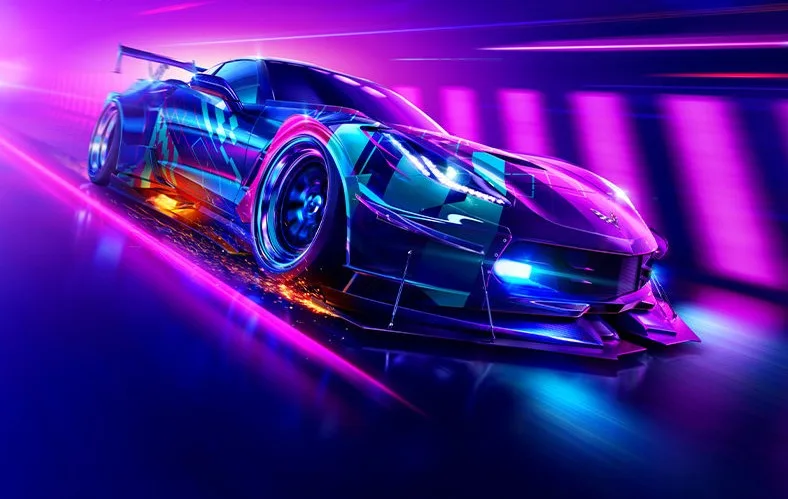
Welcome to Need for Speed Heat, the open-world racer where you'll master the streets of Palm City, balancing legitimate daytime races with risky, illegal nighttime pursuits. By day, you'll compete in sanctioned events to earn cash for upgrades, but by night, you'll face off against a corrupt police force, pushing your skills and your car to the limit for Reputation. It’s all about building your garage, customizing your dream ride, and becoming a legend in the underground racing scene.
This guide is your pit crew for navigating the challenges of Palm City. We’ll cover everything from acing those day races and fine-tuning your under-the-hood performance to surviving the relentless pursuit when the Heat levels crank up. Whether you're aiming for Gold Medals on every event or just trying to keep your car in one piece during a high-stakes chase, we’ve got the tips to help you dominate both the day and night.
Part 2
Explore Part 2 of the Need for Speed Heat guide, covering essential gameplay mechanics like score multipliers, drift types, magazine covers, and Nitrous Oxide (N2O) effects.
This section of the guide details various gameplay mechanics and elements within Need for Speed Heat.
Score Multiplier (374387223a)
Extra Points Sections (374387223b)
Normal Drift (374387223b1)
Downhill Drift (374387223b1)
Drift Types (374387223c)
Magazine Covers (624294632)
Cycle Cameras (624294632a)
Show Off (624294632b)
Control Car (624294632c)
Take Picture (624294632d)
DVD Covers (383268377)
Nitrous Oxide (N2O) (648768769)
Powerslide (648768769a)
Drafting (648768769b)
Spray Show (648768769c)
Avoid Accident (648768769d)
Reverse (648768769e)
J-turn (648768769f)
360 (648768769g)
Lead Lap (648768769h)
Gained Position (648768769i)
Head Start (648768769j)
Burnout (648768769k)
Hydros (648768769l)
Fun Stuff (648768769l1)
Bounce (648768769l2)
Hangtime (648768769m)
Clean Section (648768769n)
Shortcut (648768769o)
Traffic Hit (648768769p)
Cleared Accident (648768769q)
Bayview (229843924)
City Core (229843924a)
Beacon Hills (229843924b)
Jackson Heights (229843924c)
Coal Harbor East (229843924d)
Coal Harbor West (229843924e)
Shops (843638242)
Maps (627482774)
Career Mode (227737487)
Intro (2277374870)
Stage 1 - City Core (2277374871)
Important Info (227737487*)
Parts (727837487)
Performance shop (7278374871)
Body Shop (7278374872)
Carbon Fiber (72783748721)
Car Specialities (7278374873)
Performance tuning/Dyno (346672874)
Circuit (346672874a)
Drag (346672874b)
Drift (346672874c)
Street X (346672874d)
URL (346672874e)
Tracks (747845527)
Circuit (747845527a)
Sprint (747845527b)
Drag (747845527c)
Drift (747845527d)
Street X (747845527e)
URL (747845527f)
Cars (864887373)
Hints (266735670)
EA Games Trax (324263787)
Frequently Asked Questions (773486827)
Rachel's SMS Questions (773486827*)
Thanks (247233926)
Versions History (837746674)
Part 3
Navigate Part 3 of your Need for Speed Heat journey. Learn about world map features, SMS messages, and crucial game mechanics to get ahead.
Alright, let's check out Part 3 of our Need for Speed Heat guide. This section is all about getting you familiar with some key in-game systems that'll make your life easier as you progress.
First up, the World Map. This is your best friend for navigating the city. You can bring it up by pressing left on the D-pad. On the map, you'll see all the shops you've unlocked, opponents you can challenge to an Outrun race, and all the known races. What's cool is you can actually filter what you see on the map – and on your radar too – by highlighting an event or shop and pressing the [] button. Just be careful not to hide too much, or you might miss out on finding those sneaky secret races!
Within the World Map system, there's the GPS. Think of it as your built-in navigation system. It'll usually guide you along the fastest route, though sometimes it can be a bit glitchy. You might see messages like 'Searching Connection' or 'Unable to contact satellite' if you're not on the road or if trees are blocking the signal – it's just a neat touch for realism. You can only use the World Map and GPS when you're driving around freely (in 'explode mode' as the game calls it), not during specific Magazine Races.
Next, let's talk about SMS messages. You'll get all sorts of info through text messages and phone calls, which is pretty neat. Your unread messages will be in your inbox. There are four main types:
- Game tips: Keep an eye out for purple icons scattered around Bayview. Driving through one gets you $25 and a text with helpful info, like how to powerslide, drafting tips, or shop locations.
- Special Events: These are usually from Rachel, congratulating you on making a DVD or magazine cover, or letting you know when you've unlocked unique parts.
- Rachel: You'll get messages from her regularly. The ones that pop up in her specific inbox are usually about new inventory at the car lot.
- Rachel's Car SMS: This is a specific one you'll get later in the game, around 60% completion, where she tells you to return her car to the Car Lot ASAP.
Getting these messages and using the map effectively will really help you stay on track and make the most of your time in Bayview. Keep these systems in mind as you play!
Part 4
Navigate Part 4 of Need for Speed Heat with our guide. Learn about Bank Rewards, Sponsors, Garage features, and detailed breakdowns of Circuit, Sprint, Drag, and Drift race types.
This section of the guide covers various game mechanics and race types in Need for Speed Heat.
Bank Rewards: You can find Bank rewards scattered throughout Bayview, offering $50, $100, $200, or $400 depending on your game progression.
Sponsors: After winning races in Career Mode, sponsors will offer contracts. You'll choose between 4 offers the first time, 3 the second, 2 the third, and none the last time. Each contract requires winning a set number of races: 3 sponsor-chosen races and a varying number of your own choice (9, 19, 29, or 34). Signing a sponsor grants a free car from the Car Lot (though you only need two) and some Bank, with extra Bank awarded for sponsor-chosen races. Choose sponsors based on their race types or your preferences, as pay differences are minimal.
Garage: The Garage allows you to select your car, customize body parts, performance parts, interiors, and specialties. You can also tune your car at the Dyno, view signed sponsors, save your game, and access the World Map. The World Map shows entered and hidden races, which can be re-entered even after winning. To earn money from a race you've already won, select 'Restart' from the pause menu. This also allows you to use any car for SUV races.
Race Types:
- Circuit: A multi-lap race (2-4 laps) with 3 opponents, traffic, nitro, and shortcuts. Strategy: Powerslide turns, avoid traffic, and use shortcuts.
- Sprint: A point-to-point race with 3 opponents, traffic, nitro, and shortcuts. Strategy: Similar to Circuit.
- Drag: A point-to-point race, mostly straight, requiring manual gear shifting. Features 2-3 opponents, traffic, and nitro, but no shortcuts. Strategy: Use the Right Analog Stick to accelerate and shift gears perfectly. Use nitro at the start for an advantage. Watch for traffic and walls.
- Drift: A short race (2-3 laps) where the goal is the highest drifting score, not finishing first. Features 3 opponents, no traffic, and no nitro. Strategy: Stay behind opponents for more space. Maximize score by focusing on Speed, Angle, and Length, working with multiplying zones.
Part 6
Ace drift races in Need for Speed Heat by mastering score multipliers and bonus sections. Learn how to nail magazine cover shoots and boost your car's visual rating for big payouts.
Alright, here's the rundown on Part 6 of our Need for Speed Heat guide. This section is all about mastering those tricky Drift Races and snagging those sweet Magazine Covers. It might sound a bit niche, but trust me, getting good at these will boost your rep and cash significantly.
First up, let's talk about Drift Races. These aren't your typical circuit races; it's all about style and control. You'll see a Score Multiplier in the top-left corner. Keep an eye on it – the higher your score on a single drift, the bigger the multiplier gets. This is key to racking up huge points!
Then there are the Extra Points Sections. These are special zones on the track that give you bonus points for drifting through them. In normal drift races, these are usually the blue and white borders along the road. For Downhill Drifts, which happen on roads like Jackson Heights, you'll find these bonus zones in a few places: off the asphalt parts of the road (like dirt patches), on the sidewalks, and even near traffic cars. There are also 'shortcuts' that are actually longer but might have bonus sections.
Your drift performance is ranked with different names depending on your single drift score. You start with a basic 'Drift' (1-999 points), then move up through 'Good Drift' (1000-2999), 'Great Drift' (3000-6999), 'Superb Drift' (7000-14999), 'Colossal Drift' (15000-19999), 'Outrageous Drift' (20000-49999), and 'Insane Drift' (50000-99999). Hit 100,000 points or more, and you're a certified 'Drift King'! Some players have even hit over 250,000 points and still just got 'Drift King', so that seems to be the cap.
Magazine Covers
Next, we've got the Magazine Covers. As you progress in Career Mode, Rachel will give you a heads-up when a magazine photographer wants to shoot your ride. You'll get a text and a star will pop up on your map. Head over there, and you'll usually have a time limit to reach a specific spot in town. The further you have to travel, the more time you're given.
Once you reach the photo location, you might have a chance to set up the shot. You can Cycle Cameras to find the best angle, Show Off by opening your doors, hood, and trunk, and then Control Car to pose it exactly how you want. When you're happy, Take Picture. If you don't like the preview, you can go back and adjust. Sometimes, the picture is taken automatically when you arrive.
There are 20 magazine covers in total, and each one is tied to a specific number of wins at a certain level. For example, 'Auto Motor' requires 20 wins in Level 5, while 'Car Audio and Electronics' needs just 6 wins in Level 3. You'll get paid based on your car's visual rating, with a maximum payout of $1500. Try to get to these photo ops quickly, as they might disappear!
DVD Covers
Finally, there are the DVD Covers. To get on a DVD cover, your car needs a high visual rating. There are 10 DVD covers in total, one for each visual rating star you earn. After you sign with your first sponsor, you'll need to get one DVD cover. This requirement increases with each subsequent sponsor: two covers for the second, three for the third, and four for the last one to complete the contract.
Similar guides you might like



100% Human-Written. Community Verified. Learn how Ludo.guide verifies content