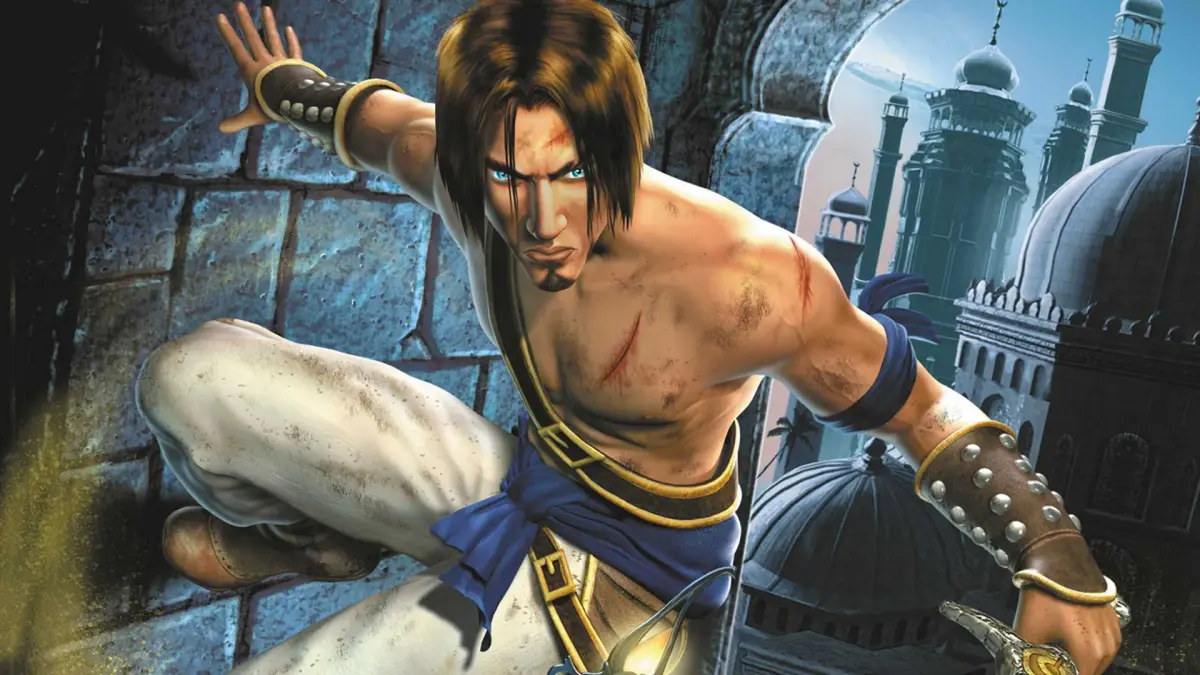
Welcome to Prince of Persia: The Sands of Time, a classic third-person fantasy adventure where you master acrobatic prowess and wield the Dagger of Time to rewind your mistakes. You'll navigate ancient palaces, conquer formidable foes, and uncover secrets in this story-rich, atmospheric experience from Ubisoft.
This guide is here to help you conquer every challenge, from mastering the Prince's fluid movement and combat to finding all the hidden secrets scattered throughout the sprawling environments. We'll cover boss fights, provide walkthroughs for tricky platforming sections, and ensure you don't miss any crucial collectibles on your journey.
Part 2
Detailed walkthrough for Part 2 of Prince of Persia: The Sands of Time, covering game mechanics, story progression, and tips for navigating the early stages of the game.
This section of the FAQ covers Part 2 of Prince of Persia: The Sands of Time. The author notes that Prince of Persia 1 is unlocked at 33% completion, not by finishing the game, and that 100% game completion is not possible, with the maximum achievable being 98% plus the credits and ending music.
The FAQ has undergone several updates, including Version 1.3 which added IGN to the allowed list and addressed numerous player queries. Earlier versions (1.2 and 1.1) fixed errors, improved clarity, added ASCII art, detailed Sand Field & LEF locations, included a table of contents, and introduced a Q&A section. The initial version (1.0) was released shortly after the game's launch.
The FAQ Index includes sections on Legal Info, FAQ Index, Updates/Version/History, Introduction/About Me, Controls & Basics, The Story, and the Prince of Persia: Sands of Time Walkthrough, which begins with 'In The Beginning' (0%) and progresses through 'The Maharajah's Treasure Vaults' (2%).
Part 3
Prince of Persia: The Sands of Time Part 3 covers progression from 5% to 100%, including levels like 'A Broken Bridge' and 'The Tomb'.
- 1Shed The Sands Of Time (5%)
- 2"Had I Really Seen Her?" (7%)
- 3A Secret Passage (10%)
- 4The Palace's Defense System (12%)
- 5A Booby-Trapped Courtyard (14%)
- 6Death Of A Sand King (17%)
- 7"I'll Try To Find A Way In" (19%)
- 8Climbing The Tower (21%)
- 9The Warehouse (24%)
- 10The Sultan's Zoo (28%)
- 11Atop A Bird's Cage (28%)
- 12Cliffs And Waterfall (33%)
- 13The Baths (33%)
- 14"There's Something Glowing Up There" (33%)
- 15Above The Baths (33%)
- 16A Long Buried Secret (40%)
- 17A Soldier's Mess Hall (46%)
- 18The Drawbridge (46%)
- 19A Broken Bridge (50%)
- 20"I'll Meet You At The Baths" (52%)
- 21Waterfall (55%)
- 22A Cavern Of Ladders (57%)
- 23An Underground Resevoir (60%)
- 24Out Of The Well (62%)
- 25The Sultan's Harem (65%)
- 26"What Did You Call Me?" (67%)
- 27The Hall Of Learning (69%)
- 28Observatory (71%)
- 29Hall Of Learning Courtyards (75%)
- 30On The Ramparts (75%)
- 31A Prisoner Seeking An Escape (79%)
- 32At Last We're Here! (81%)
- 33The Hourglass (83%)
- 34The Tomb (90%)
- 35"Farah, Come Back!" (90%)
- 36Climbing The Tower Of Dawn (93%)
- 37The Setting Sun (95%)
- 38Honor And Glory (98%)
- 39[CONGRATULATIONS!] (100%)
Related Sections:
- Prince Of Persia 1 Part (Includes The Story!, The Characters & People You Will Meet, Controls And Basic Gameplay, Running, Jumping And Climbing, En Guarde Mode, Life Bars And Injuries, Picking Up Stuff, Traps, Switches And Other Evil Stuff)
- Terms And Abbreviations
- Full Level Walkthrough, Prince of Persia 1 (Includes Level One: The Great Escape through Level Twelve: Prince Versus Shadow, The Showdown With Jaffar, United With The Princess)
Part 5
Dive into Part 5 of our Prince of Persia: The Sands of Time walkthrough. Learn about controls, menu options, and the game's revamped mechanics. Your essential guide awaits!
Alright, let's get into the nitty-gritty of Prince of Persia: The Sands of Time. This section is going to cover some of the behind-the-scenes stuff and how the game actually plays, so pay attention!
First off, you'll notice the story is told differently this time around. Instead of just watching someone stare into an hourglass, the narrative unfolds through cinematic slideshows. The levels themselves are also a big step up – think bigger environments, more hidden secrets to uncover, trickier traps, a tougher crowd of enemies, and even some unexpected allies popping up.
Now, about the controls. The old-school commands from Prince 1 are gone, which might feel a bit jarring at first, but honestly, the new system works really well. You'll be doing all sorts of death-defying moves and engaging in combat like never before. The classic Prince of Persia action, with its tricky traps and fast-paced gameplay, is back and better than ever!
For those who might be curious, Prince of Persia 3D (released back in 1997) tried to shake things up, but it really missed the mark. It just didn't have that same action and gameplay feel as the original. Even though it featured the same Prince from Prince of Persia II, the story didn't pick up where the last one left off, creating a whole new narrative that felt disconnected. Thankfully, in late 2002, rumors started swirling about a new game that would breathe life back into the series and put it back on the map. And that, my friends, is how we got Prince of Persia: The Sands of Time.
Developed by Ubisoft, with input from the legendary Jordan Mechner, this game is a visual masterpiece. Everything, from the Sultan's palace to the grand courtyards and fountains, is rendered in incredible 3D. The atmosphere is absolutely divine. This time, the Prince actually speaks (with a charming English accent), and you've got a partner accompanying you (also with an English accent). While it might sound a bit like the game ICO, trust me, it's a totally different experience. The gameplay is fantastic, offering a huge range of acrobatic moves and combat options that blow the previous games out of the water. It really feels like a true successor to the original, just in glorious 3D.
Oh, and a cool little bonus for the PS2 version: it actually includes the original Prince of Persia game! Yep, you can relive those classic moments of running, jumping, and trying not to become a human pincushion. Compared to its predecessors, Sands of Time is relatively easy, with helpful visions guiding you along the way. However, it should still offer a decent challenge, especially for newcomers to the series.
So, could this be the game that revives the series and becomes a beloved classic once again? Only time will tell. But for one of its biggest fans (myself included), it's already a winner.
IN-GAME SCREENS/WINDOWS
When you first boot up the game, you'll hit the main menu. Here's a quick rundown of your options:
- Start a New Game: Pretty self-explanatory, right?
- Load a Game: Exactly what it sounds like – pick up where you left off.
- Options: This is where you can tweak settings. You'll find sub-menus for Controller, Sound, Display, Camera, and Language. Fun fact: messing with the voice volume might trigger Prince to say something! Controller options are detailed below.
- Extra Features: This is where you'll find the original Prince of Persia and potentially other unlockables. You'll have to earn them first!
Note: If you switch the game's language, Prince and the entire cast will speak in that language! Imagine hearing the Prince exclaim "Sacrebleu" in French – it's pretty wild!
THE CONTROLS, BASICS & EVERYTHING IN BETWEEN
Let's get down to business with the controls. Forget about holding down a button to hang onto ledges; it's all automatic now. You can't change the preset controls, which can be a bit annoying sometimes, but they work well for the most part.
Here's what each button does:
- Start: Pauses the game, takes you to the menu, or unpauses. Simple enough.
- Select: Doesn't seem to do anything, as far as I can tell.
- D-Pad: Apart from navigating menus, it doesn't have any in-game functions.
- Left Analog Stick: This is how you move Prince around. Push it fully in a direction to make him run, or hold it halfway to make him walk.
- Right Analog Stick: Use this to adjust the camera angle. Pushing UP/DOWN changes the distance from Prince, while LEFT/RIGHT rotates the camera.
- Triangle: This button makes Prince stab forward with the Dagger of Time. It can stun enemies if you hit them and can even substitute for walking. It can't be chained into other attacks, though. You'll also use this to absorb Sand Fields and fallen enemies.
- Square: Draws your sword. It'll go into an 'En Guarde' stance if enemies are around. You can also use Square to break obstacles. When your sword is out, pressing Square performs a strike, and mashing it allows for a 6-hit combo that ends with a powerful downward chop.
- X: This is your main action button – think of it as the 'Shift' button from the old games. It's used for climbing and other interactions.
Part 6
Master Prince of Persia: The Sands of Time controls, from basic running and jumping to advanced wall-running and pole-swinging techniques.
Controls:
- Circle: Cancel actions, put sword away, climb down ledges, decrease the Checkpoint (an auto-save point you restart from on death) Meter (a meter that tracks your progress towards respawning) quicker when you die.
- L1 Button: Rewind time using the Time Dagger, only available with a full Sand Tank. Hold to rewind back to the last checkpoint.
- L2 Button: Panoramic view, shifting the camera angle to a higher position for a better view of the level. Press again to return to the standard camera view. Also used to reset the camera to its default position.
- R1 Button: Special Action, used for pulling levers, crates, cupboards, and other interactive objects.
- R2 Button: Switches to first-person view. Use the Right Analog stick to control the view. Press again to reset to third-person view. Moving, drawing your sword, or walking will reset the camera to its default third-person view.
Running, Jumping, and Climbing - Basic Commands:
- Running: Hold the Left Analog stick in the desired direction.
- Jumping: Press X. When running on the ground, this results in a roll, useful for narrow openings or overhead traps.
- Extended Jump: While running, press X when going over a cliff or ledge.
- Standard Jump: Walk to the edge of a ledge, face your target, hold the Left Analog stick in the desired direction, and press X.
- Hanging on Ledges: If you step off a ledge without jumping, the Prince will automatically hang on. From here, you can:
- Draw your sword.
- Press X to pull yourself up.
- Press Circle to drop down.
- Climbing Ledges: Use the Left Analog stick to walk up to a ledge, and the Prince will automatically climb up.
- Strafe Jumping: On narrow ledges, you may need to strafe alongside them. To jump to another ledge in this condition, hold the Left Analog stick in the opposite direction you are facing and press X.
- Vertical Pillars (Poles): Grip by walking up to them and pressing X. Once on, you can:
- Slide down by holding DOWN on the Left Analog stick.
- Climb up by holding UP on the Left Analog stick.
- Rotate sideways by holding LEFT or RIGHT on the Left Analog stick.
- Jump by pressing X after rotating sideways to set the direction.
- Let go by pressing Circle (falling from too high results in death).
- Horizontal Poles: Hang on by walking underneath and jumping. Prince will grab the pole. Actions include:
- Swing by holding R1.
- Switch swinging directions at the peak of your swing (90 degrees in the air) by pressing UP or DOWN on the Left Analog stick.
- Release the pole and swing in a desired direction by pressing X (requires enough momentum).
- Release the pole and fall by pressing Circle (not recommended from great heights).
- Ladders: Climb by walking up to them. Prince will grab hold and pull himself up. You can switch sides while hanging on.
- Pulling/Pushing Objects: Use the R1 button (Special Action). Walk up to an object and hold R1. Some objects need to be pushed, some pulled, and others wound.
- Activating Ground Switches: Walk over them. Some require a heavier object to be pulled over them.
- Levers: Pull them either by hanging on them or pulling them on the ground.
- Healing: Drink from springs and fountains by walking up to them and pressing R1.
Death-Defying Stunts - Advanced Commands:
- Running Up Walls: Can only be done on flat, 90-degree vertical walls with no obstructions. Hold R1 and run up the wall. If the wall is low enough, you may reach the top and pull yourself up. While running up, press X to jump in the opposite direction, performing a 180-degree flip.
- The Circle button is clutch for canceling actions and safely descending from ledges.
- The L1 button is your lifeline, allowing you to rewind time, but requires a full Sand Tank.
- The R1 button is essential for interacting with the environment, from pulling levers to healing.
- Mastering jumps and wall-runs is key to progressing through Prince of Persia: The Sands of Time.
- Be cautious when letting go of poles from high places; it can lead to instant death.
Similar guides you might like




100% Human-Written. Community Verified. Learn how Ludo.guide verifies content