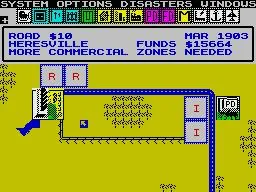
Welcome to SimCity, the definitive urban planning simulator where you're the mayor, the architect, and the city planner all rolled into one. From humble beginnings, you'll zone land for residential, commercial, and industrial development, manage resources, and build the infrastructure to support your growing population. It's a deep, rewarding experience for anyone who enjoys building and managing complex systems, with the ever-present challenge of keeping your citizens happy and your city thriving.
This guide is your go-to resource for mastering the art of the metropolis. We'll cover everything from the initial stages of transforming a village into a bustling town, to advanced strategies for managing your city's finances and keeping the dreaded Pollution Cloud at bay. Whether you're aiming for a Gold Medal or just trying to avoid disaster, we've got the tips to help you build your ultimate SimCity.
Dedication
Learn about the early days of SimCity and the FUND code, dedicated to Jeremy Clothes.
This guide is dedicated to Jeremy Clothes, who introduced the author to the classic computer game SimCity after the author moved to Texas in the summer after third grade. Jeremy taught the author about the FUND code and cautioned against its overuse. These early gaming sessions on Jeremy's dining room table sparked a lasting love for SimCity.
Purpose
Master SimCity on the Nintendo NES with this guide, detailing glitches and differences from the SNES version.
This guide aims to help you master SimCity on the Nintendo NES. It also discusses the differences between the NES prototype for SimCity and the released version on the Super Nintendo.
All glitches/bugs found in the game have been denoted using a Blue Font. All changes between the NES and SNES versions have been denoted using a Red Font.
Controls
Navigate SimCity like a pro! This guide breaks down all the essential controls for menus and gameplay, helping you build your dream city with ease. Get started now!
Hey there! So you're diving into SimCity and want to get a handle on how to actually, you know, *play* it? That's smart! Knowing your way around the buttons is half the battle. Let's break down what each button does so you can start building without any confusion.
First off, when you're setting things up or poking around in the menus, here's the lowdown:
| Button | Action |
| D-Pad | Moves your cursor around to highlight different options. Simple enough, right? |
| SELECT | Honestly, this one doesn't seem to do much in the menus. Don't worry too much about it for now. |
| START | This is your go-to for confirming choices when setting things up. |
| L Button | Doesn't seem to have a function in the menus. |
| R Button | Also no apparent use here. |
| Y Button | No apparent use in the menus. |
| X Button | Use this to back out of a selection or cancel something. It'll take you back to the previous screen. |
| B Button | Another button for confirming your selections. |
| A Button | Doesn't seem to do anything in the setup menus. |
Now, when you're actually in the game, building your city, things get a bit more interesting. Here's how you'll be navigating and interacting:
| Button | Action |
| D-Pad | Just like in the menus, this moves your cursor around the city map. Essential for placing buildings or just looking around. |
| SELECT | This is a handy one! Press it once to bring up the building menu on the left side of your screen. Press it again, and it'll tuck that menu away, letting you get back to placing things on the map. |
| START | Need to tweak some settings or pause the action? Press START to open the options menu at the top of the screen. Press it again to close it and get back to your city. |
| L Button | Still no use that we can find in the main game controls. |
| R Button | Same here, this button seems to be inactive during gameplay. |
| Y Button | Want to zip around your city super fast? Hold down the Y Button while moving the D-Pad, and you'll speed across the map. Great for checking on distant areas! |
| X Button | This button is for clearing the screen. Press X to hide all the menus and toolbars, giving you a clean view of your city. Press it again to bring everything back. Handy for screenshots or just enjoying the view! |
| B Button | This is your confirmation button for most actions in the game. No matter if you're finalizing a menu choice, placing a building from the menu, or using the bulldozer tool, B is usually the button you'll press to make it happen. |
| A Button | Just like the Y Button, holding down A while using the D-Pad lets you zoom around the map at high speed. So, you've got two buttons for fast travel – pick your favorite! |
That's pretty much it! You'll get the hang of these controls really quickly. The D-Pad, SELECT, START, X, B, and A buttons are your main workhorses for building and managing your city. Happy building!
Game Set-Up Menus
Learn the SimCity menu controls, including how the D-Pad, START, B, and A buttons function for navigation and confirmation.
When you are in the menu screen in SimCity, the controls function as follows:
D-Pad - Pressing a direction on the D-Pad will move your cursor in the corresponding direction.
SELECT Button - This button has no apparent use in the menu screens.
START Button - Use the START button to confirm a selection.
B Button - Press the B button to back out of a selection.
A Button - Use the A button to confirm a selection.
Similar guides you might like




100% Human-Written. Community Verified. Learn how Ludo.guide verifies content