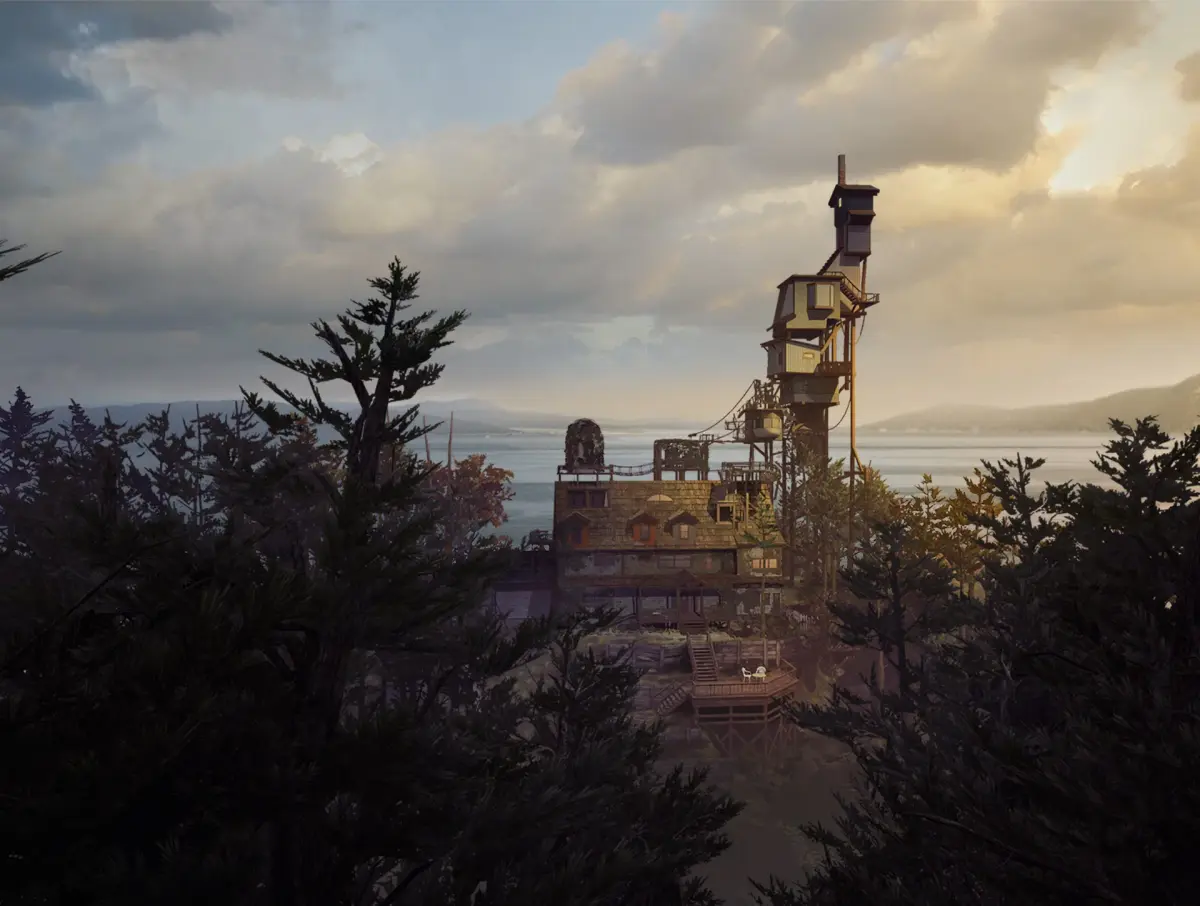
Welcome to the Finch family home. In What Remains of Edith Finch, you’ll step into the shoes of Edith as she returns to her estranged family’s isolated, sprawling manor. The house itself is a character, filled with the secrets of her family’s tragic and bizarre deaths. As you explore, you’ll uncover these stories through unique, interactive vignettes, each representing a different family member’s final moments and often featuring distinct gameplay mechanics. It’s a deeply atmospheric, narrative-driven experience perfect for anyone who loves a good mystery and a powerful story.
This guide is here to help you uncover every hidden detail within the Finch house. We'll walk you through finding all the family's secret rooms and the stories they hold. You’ll also find tips for mastering the varied gameplay styles presented in each family member’s flashback, ensuring you don’t miss a single moment of this unforgettable journey. Let’s explore the mysteries together.
Gameplay
Learn about the protagonist, controls, replay options, and settings in What Remains of Edith Finch. Interact with objects using R1/R2.
Protagonist
You play as Edith Finch in a first-person perspective. Edith is returning to her family home after a long absence to learn about the deaths of her family members. You can interact with various items to trigger commentary and visit the shrines of each relative to uncover more details about their stories.
Controls
Important items are indicated by a small glowing white spot. You can interact with these items using R1/R2, which control Edith's hands. Most of the time, you will use R1 or R2 to hold onto or activate something, often indicated by a small icon of a hand or a book. Doors open when you touch the small hand icon, and you may need to move a control stick simultaneously. The left stick controls your movement, and the right stick controls your direction (up, down, left, right). The left stick is frequently used to turn a page or move an object. The Circle button acts as a cancel button, allowing you to move away from an object. L1 acts as a focus, but it is primarily useful in one specific situation during Molly's story.
Replay
After completing What Remains of Edith Finch for the first time, you will have access to all the sub-stories and can replay any of them. You can also view the credits and start a new game.
Options
The Options menu allows you to adjust various settings. You can change the brightness, as some areas of the game can be very dark. You can also inspect everything more closely if you wish to understand more about the story. Camera control can be set to Normal or Inverted. The Reticle can be turned Off or On; when On, a tiny white marker appears on the screen. Sound Effects, Dialog, and Music levels can be decreased by moving the X left along the line. Brightness can be increased by moving the X right along the line.
- Pay attention to the small glowing white spots to identify interactable objects.
- Experiment with R1 and R2 to see how they affect interactions with different objects.
- Adjust the brightness in the Options menu if you find certain areas too dark to see clearly.
- The Reticle option can be turned on if you prefer a visual marker for aiming or interaction points.
The Finches
Explore the stories of the Finch family in What Remains of Edith Finch. Discover how each member is connected on the family tree.
The game centers around the stories of the Finch family. You will discover each story as you explore the house and its grounds. While you cannot fail or mess up any part of the narrative, you could miss certain trophies if you are unaware of their requirements.
Upon completing a story, Edith will create a drawing in her book, which fills in a section of the family tree. This allows you to track your progress through the various narratives. Note that there are more family members listed on the tree than there are fully realized stories, as not all members receive a complete narrative.
The Finches featured on the family tree are:
- Edie: child of Odin and Ingeborg
- Molly, Barbara, Calvin, Sam, Walter: children of Edie and Sven
- Dawn, Gus and Gregory: children of Sam and Kay
- Lewis, Milton and Edith: children of Dawn and Sanjay
- You can miss trophies if you don't know what they are.
- Edith completes a drawing in her book after each story, filling in the family tree.
- Not all family members have fully realized stories.
Gameplay (2)
Learn about the first-person controls, interaction mechanics, replay options, and settings like brightness in What Remains of Edith Finch.
You play as Edith Finch in a first-person perspective as you return to your family home to investigate the mysterious deaths of your relatives. You will interact with various highlighted objects, indicated by a small glowing white spot, to trigger commentary and uncover details about each family member's story by visiting their personal shrines.
Controls
Controls in What Remains of Edith Finch are not explicitly explained, which can make initial interactions challenging. Important items are marked with a small glowing white spot. You interact with these items using R1 or R2, which control Edith's hands. These buttons are typically used to hold onto or activate objects, often indicated by a small hand icon or a book icon. Doors open when you approach the small hand icon, and you may need to use a movement stick simultaneously.
The left movement stick controls your character's movement, while the right movement stick controls the camera direction (up, down, left, right). The left movement stick is also used for actions like turning pages or moving objects.
The Circle button functions as a cancel button, allowing you to move away from an object you are interacting with.
The L1 button acts as a focus, though it is primarily useful in a specific situation during Molly's story.
Replay
After completing What Remains of Edith Finch for the first time, you gain access to all the sub-stories, allowing you to replay any of them. You can also view the credits again or start a new game.
Options
The Options menu provides several adjustable settings. You can change the brightness, which is useful as some areas of the game can be very dark. You can also choose to inspect everything more closely if you wish to gain a deeper understanding of the story.
- Camera control: Normal/Inverted
- Reticle: Off/On (A tiny white marker will appear on the screen if this is on.)
- Sound Effects: Move the X left along the line to decrease.
- Dialog: Move the X left along the line to decrease.
- Music: Move the X left along the line to decrease.
- Brightness: Move the X right along the line to increase.
... Edith
Follow this guide to find all 7 peepholes in What Remains of Edith Finch. Learn how to navigate the house and collect these hidden items for a trophy.
Hey there! So, you're diving into What Remains of Edith Finch and want to snag that trophy for finding all the peepholes? No worries, I've got your back. This section is all about helping you track down those little peepers and get that achievement.
- 1Beginning: When the game starts, you'll want to interact with the book. Use R1 or R2 to bring it up, then move the left stick to the left to open it.
- 2The Path: After that, you'll find yourself on a rough track. Turn around to trigger some commentary, then move closer to a poster for more info. Now, use the left stick to move forward and the right stick to change your direction, looking up or down as needed.
- 3Interact with the Postbox: On the left side of the road, you'll spot a postbox. Interact with it by using R1 or R2 to place your hand on it, then push back with the stick to open it.
- 4Continue to the Garage: Push forward to swing the gate open and keep going until you reach a tree with a plaque for The Finches. Turn left down the narrow path and head through the woods until you arrive at the garage.
- 5Trophy Route: To get that trophy, you'll need to walk back up the wider path to where the paths originally split. Once you've done that, return to the garage and make your way towards the house. You can explore the garden and check out the front door for more commentary, but the most direct way in is from the side.
- 6First Peephole: Head up the left side of the house until you reach the fence. Move towards the small hole in the fence – this is PEEPHOLE (1), your first collectible. Take a look through it, then back away using the left stick.
- 7Entering the House: Approach the dog flap on the left side of the house and push forward to enter. You can try turning on the light switch to the right of the door for some extra comments.
- 8Exploring the Rooms: Cross the room to the far side where you'll find a half-open door. Use R1/R2 to touch it and open it, then enter the kitchen. Walk left through to the dining room, and then into the front room. These rooms are mostly for soaking in the atmosphere and getting your bearings.
- 9Hallway and Music Box: Exit into the hallway. You'll see a glass door. You can try the key on it (R2) and then open the music box by using R2 and the left stick to turn the key.
- 10Second Peephole: Continue into the hallway and look through the PEEPHOLE (2) in the library door. Back away using the circle button or the left stick.
- 11Climbing the Stairs: Now, climb the stairs. One room is open, but first, let's grab those peepholes for the trophy.
- 12Molly's Room Peephole: Turn left and look into Molly's room at the end of the short hallway. That's PEEPHOLE (3).
- 13Edie and Sven's Room Peephole: Return to the main landing and go right to find Edie and Sven's room. Look for PEEPHOLE (4) there.
- 14Gregory's Room Peephole: At the end of this hall, you'll find Gregory's room. PEEPHOLE (5) is located there.
- 15Sam's Room Peephole: To the left of Gregory's door is Sam's room. Find PEEPHOLE (6) inside.
- 16Barbara's Room Peephole: Head back to the landing and turn right to check the rest of the rooms. The door on the left is Barbara's room, and PEEPHOLE (7) is inside. The stairs leading to the upper floors are locked for now.
- 17Walter's Room: Return to the hallway and enter the only open door, which leads into Walter's room.
- 18Transition to Molly's Room: Inside Walter's room, turn left to see a book with a key icon. Hold R1 to unlock it. Move the lock to the right with the left stick, then move the stick left to open the book. Push both sticks forward to open a hatch. Go through (check the painting on the left) and open another hatch by pushing up with the sticks to enter Molly's room.
- Make sure you get that first peephole in the fence before you enter the house – it's easy to miss!
- Don't rush through the initial rooms; take a moment to look around and listen to the commentary. It adds a lot to the story.
- Remember, there are 7 peepholes in total. Keep an eye out as you explore each room.
- Trophy: Peepholes (7)
Similar guides you might like



100% Human-Written. Community Verified. Learn how Ludo.guide verifies content