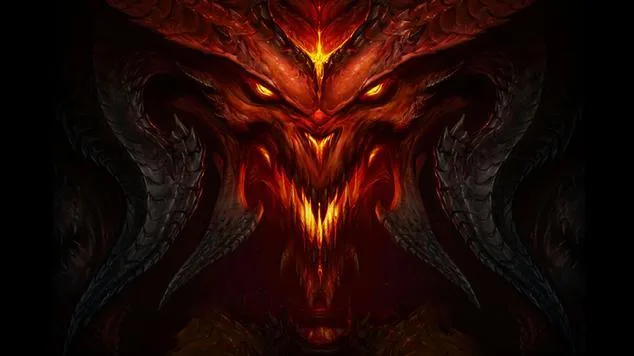
Welcome to Sanctuary, Nephalem! Diablo III is a dark fantasy action RPG where you'll hack and slash your way through hordes of demons, collect epic loot, and forge powerful character builds. You'll journey through five distinct acts, from the besieged town of Tristram to the High Heavens themselves, facing off against iconic villains like the Prime Evils. It's a game about mastering your chosen class, whether it's the Barbarian's raw strength or the Wizard's arcane might, and carving your legend into the world.
This guide is your key to conquering every challenge Diablo III throws at you. We'll cover detailed walkthroughs for each act, offer expert strategies for every character class, and provide tips for optimizing your gear and followers. Whether you're aiming to unlock hidden content, achieve a perfect Gold Medal, or simply survive the onslaught, you'll find the knowledge you need here to master the demons and emerge victorious.
Part 2
Diablo III Part 2 guide covering Chapters 3, 4, and 5. Details on game features, characters, and quest walkthroughs.
- 1Chapter III - Game Basics [GAM3]: This chapter covers fundamental gameplay elements including getting around, combat, abilities, loot (Common, Magical, Set, Rare, Legendary), gear, quests, co-op play (Public, Private), potions, randomization, the PvP Arena, the Auction House, difficulty modes, and Inferno mode.
- 2Chapter IV - World Features [WOR4]: Explore the world of Sanctuary, including towns, vendors, followers, recipes, artisans (Blacksmith, Jeweler), your stash, non-player characters (NPCs), monsters (Normal, Champions, Rares, Bosses), monster affixes (traits), dungeons, random events & dungeons, chests, and shrines.
- 3Chapter V - Character Information [CHA5]: Learn about character customization and mechanics, including gender, classes (Barbarian, Demon Hunter, Monk, Wizard, Witch Doctor), health, resource, attributes, abilities (Skills - Active, Passive), runes, other stats, builds, itemization, gold, achievements, banners, and group compositions.
- The guide uses a Direct Section Finder System. To find a specific chapter, press (control + f) and type the code in square brackets next to the chapter title (e.g., [GAM3] for Chapter III).
- Chapter 3 walkthroughs were officially started in version 0.40 (May 21st, 2012).
- Chapter 4 was updated significantly in version 0.50 (June 16th, 2012) and completed in version 0.60 (June 17th, 2012).
- Chapter 5 was completed in version 0.65 (June 21st, 2012).
- Updates to the guide have occurred on various dates, including May 20th, 2012 (version 0.35), May 21st, 2012 (version 0.40), May 25th, 2012 (version 0.45), June 16th, 2012 (version 0.50), June 17th, 2012 (version 0.60), June 21st, 2012 (version 0.65), June 23rd, 2012 (version 0.70), and July 13th, 2012 (version 0.75).
Part 3
Navigate the treacherous path through Diablo III's Part 3. This guide offers expert advice and walkthrough tips to help you conquer every challenge and claim your loot.
Alright, let's break down Part 3 of our Diablo III adventure! This section of the guide is all about getting you acquainted with the game's core features, introducing me (your friendly guide!), and setting the stage for the epic journey ahead.
We'll be covering the main introduction to the entire guide, explaining its layout, who I am, and what Diablo III is all about. Think of it as your essential starting point before we jump into the nitty-gritty of monster slaying and loot hoarding.
It's been a long wait for Diablo III, especially for fans who remember the classics like the original Diablo from 1996 and Diablo 2 from 2000. After nearly 12 years since its predecessor and over 4 years since its announcement, Diablo III is finally here, and it's a blast!
I was just as hyped as you are, having enjoyed Diablo 2 immensely. Diablo III truly delivers on all fronts – gameplay, atmosphere, sound, story, replayability, and of course, the core Diablo experience: awesome loot and randomized content with diverse classes and enemies. It honors the series' roots while bringing modern improvements, and I'm sure it'll keep us hooked for a long time, especially with upcoming updates like the PvP Arena mode and new item patches.
Writing this guide felt necessary because, honestly, Diablo III is one of the best games I've played. There's so much depth to explore, and as one of the first detailed guides available, I'm excited to help you navigate it all. As Deckard Cain would say, "Stay a while, and listen!" - Kranti
A little about me: I'm Kranti, a university student in the UK pursuing a Master's in Software Engineering. While I'm aiming for companies like Google or Microsoft, I'm also a huge gaming enthusiast. I wouldn't call myself addicted, but I do get deeply engrossed in games, enjoying the adventure and thrill just like a good book or movie. RPGs are my favorite genre, though I dabble in first-person shooters (Halo series!) and strategy games (Starcraft 2!). My all-time favorites include Halo 3, Halo Reach, Starcraft 2, GTA IV, Oblivion, Skyrim, The Witcher 2, Dragon Age, Mass Effect, and Call of Duty.
Part 5
Learn about Diablo III, including its action RPG roots, randomization, and challenging Inferno difficulty. Understand Rares, Champions, and farming.
Diablo III is an action role-playing series created by Blizzard, the developers behind the Starcraft and Warcraft universes. The series is celebrated for its solid gameplay, distinct class choices, and unique features like randomized loot and environments, brutal and fast-paced combat, an isometric camera, co-op play, and a dark, mature atmosphere. Players can spend considerable time after completing the story exploring dungeons with ever-changing layouts and farming for exceptional loot.
The game's randomization extends to loot, where weapons and armor have random stats and rarity determined by drop percentages. Not only are the stats and names of loot random, but the locations where they can be found are also randomized. Each dungeon features a layout that changes every time you enter after leaving the game, a core element that defined the first Diablo, which was set within a single, large dungeon.
Gameplay in Diablo involves quick fights against numerous enemies, including regular foes, stronger champion enemies with bonus powers, and rare enemies that are uniquely named, stronger versions of regular monsters. The series also features formidable bosses. Diablo III retains these elements, offering a dark atmosphere, frenetic combat, an isometric camera, distinct classes, and strong co-op play. The skill system has been significantly improved, making it easier to connect with friends and find similarly leveled games with random players. Diablo III offers even more loot and gear tiers, remaining easy to learn but challenging to master.
Diablo III features multiple game difficulties. Inferno is the hardest difficulty, designed for players who have reached the level cap (level 60). This mode is intended to be extremely challenging, requiring significant time and effort to acquire better gear for progression. In Inferno difficulty, you gain the Nephalum Valor buff upon defeating rares or champions, which increases your magic find. Rares are stronger enemies with yellow names, while champions are stronger enemies with blue names.
Farming is a common term in RPGs, meaning to repeatedly kill enemies in a specific area to find quality loot. This is game-changing for acquiring better gear, especially if you are not using the Auction House (AH). The AH is a system where players can list items for sale or purchase items posted by others. RMAH stands for the Real Money Auction House, a system allowing the sale of items and gold for real-life money.
Character builds in Diablo are determined by the distribution of stats and ability points, with players receiving 5 stat points and 1 ability point per level. This allows for diverse character builds across the game's classes. Player movement and attacks are typically controlled by clicking, with abilities bound to mouse buttons and hotkeys for quick access. While seemingly simple, this system supports a rock-solid approach to gear acquisition and character customization.
- Rares have yellow names and Champions have blue names; both are stronger than regular enemies.
- Inferno difficulty is the highest and requires top-tier gear and significant time investment.
- Farming is essential for obtaining better loot, especially if you avoid the Auction House.
- The Auction House (AH) and Real Money Auction House (RMAH) are key systems for trading items.
- Diablo III retains the core elements of its predecessors: randomization, dark atmosphere, fast combat, and co-op.
Part 6
Get a grip on Diablo III's controls and screen interface. Learn about keybinds, the health globe, resource globe, and hotkey bar to dominate your gameplay.
Alright, time to dig into the nitty-gritty of how to actually play Diablo III. This section is all about getting you comfortable with the controls and understanding what all those bits on your screen mean. Think of it as your quick-start guide to not dying unnecessarily and knowing what your character's up to.
The Game Controls
First off, let's get your hands on the keyboard and mouse. These are your primary tools for navigating Sanctuary and smiting demons:
- Left Mouse Button: This is your go-to for movement. Just click anywhere on the ground, and your hero will head there. You can also hold it down to keep moving in the direction your cursor is pointing. Plus, it's used for your 'Primary Ability' – it'll fire off whatever you've got assigned to it, but only if your cursor is over an enemy or something breakable.
- Right Mouse Button: Similar to the left, this is for your 'Secondary Ability'. Again, you can bind this to anything in your abilities screen.
- Shift Key (Hold): This is super handy for ranged characters. Hold down Shift, and when you click with either mouse button, your hero will stay put and use their ability instead of moving. Great for kiting enemies!
- J Key: Opens up your Journal. This is where all your quest details and any lore entries you've picked up are stored. Keep an eye on this for quest objectives.
- 1-4 Keys: These are your ability hotkeys. Besides the two mouse buttons, you can assign four more active abilities here. These, along with your passive skills, make up your character's 'build'. You can even change these hotkeys to other letters or numbers if you prefer.
- Q Key: Your trusty Potion hotkey. Press this to quickly quaff a health potion you've got equipped.
- S Key: This brings up the Abilities Menu. Here's where you can customize your active and passive skills, and even slot in those powerful runes to modify your abilities.
- I Key: Opens your Inventory. Check out your equipped gear, your gold, items in your bags, and your character's stats.
- C Key: Opens the Character Menu. It's pretty much the same as the inventory screen, but your character stats are right there on the top left. Click 'Detailed Stats' for a deep dive into all your numbers.
- H Key: Opens the Follower Menu. If you've got a follower with you, this is where you manage their gear and abilities. You can give them new weapons, rings, and items, and set their skill paths.
- Z Key: Zooms the camera in on your hero. You can still play normally while zoomed in, which can be nice for getting a closer look.
- G Key: Drops your personal Banner. Show off your banner to friends or other players by placing it where your cursor is.
- ESC Key: This opens up the main menu. From here you can access options, check your achievements, save and quit to the desktop, or leave your current game session.
Screen Interface
Now, let's look at what's actually on your screen while you're playing. Diablo III's interface is pretty clean, but there are a few key things to know:
- Health Globe: That red globe down in the bottom-leftish area? That's your life. When you take damage, it shrinks. If it empties completely, you die and have to restart from the last checkpoint. You'll also lose some durability on your gear, so keep an eye on this!
- Resource Globe: Right next to your health globe is your resource. Think of this as your mana or energy pool for using abilities. Each of the five classes has its own unique resource system.
- Hotkey Bar: Situated between your health and resource globes, this bar shows the 6 active abilities you've got equipped, plus your potion slot. Remember, 4 are tied to the 1-4 keys, and 2 to your mouse buttons.
- Menu Bar: Next to your hotkey bar, you'll find the menu bar, which gives you quick access to other important game functions.
Understanding these basics will make your journey through Sanctuary a lot smoother. Don't worry if it feels like a lot at first; you'll get the hang of it quickly!
Similar guides you might like




100% Human-Written. Community Verified. Learn how Ludo.guide verifies content