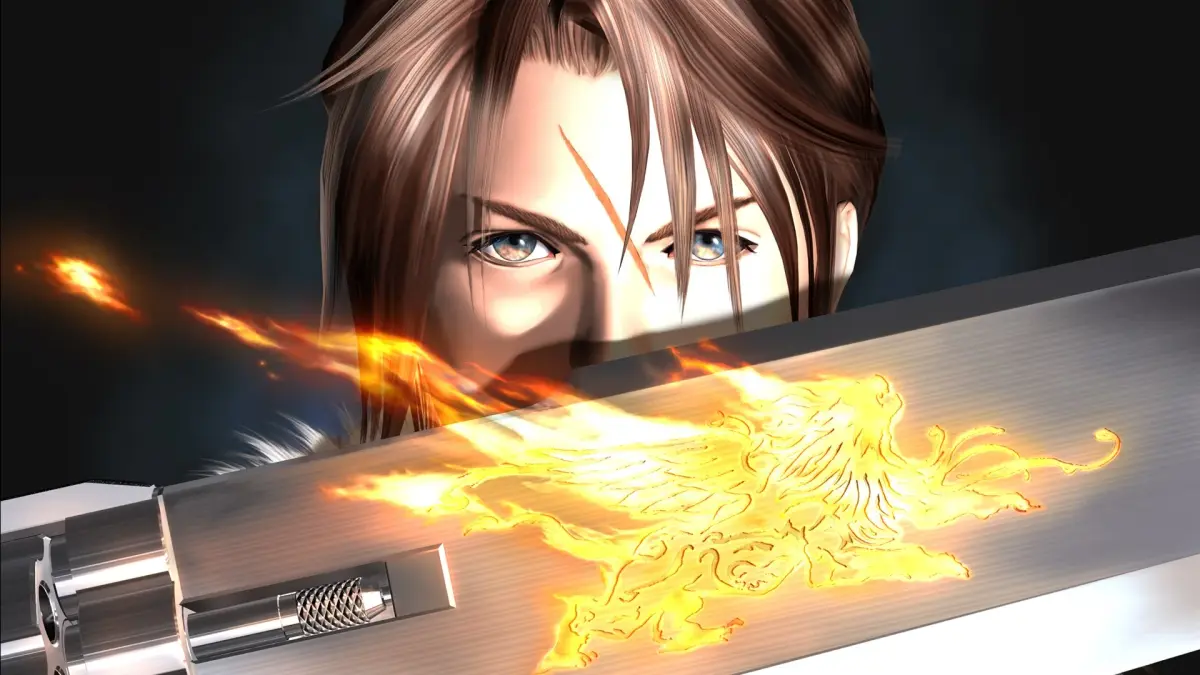
Welcome to Final Fantasy VIII Remastered! You play as Squall Leonhart, a mercenary-in-training for SeeD, tasked with settling a war between Galbadia and Dollet. The gameplay here is unique, relying on drawing magic from enemies and equipping Guardian Forces – summoned monsters that learn abilities – rather than traditional leveling. It’s a story-rich RPG with plenty of side quests and minigames, including the addictive Triple Triad card game.
This guide is here to help you master the intricate Junction system, navigate the world, and conquer challenging bosses like Ifrit. We'll cover everything from early game power leveling to defeating the formidable Ultimecia, ensuring you can dominate the Triple Triad and truly become a SeeD.
How to Navigate This Guide
Learn how to navigate the Final Fantasy VIII Remastered guide using the Table of Contents, internal links, and search functions.
- 1Use the Table of Contents on the right-hand side of the screen. Click "Toggle Table of Contents" if it is not visible.
- 2Click on links within the guide to access more detailed information on a specific topic.
- 3Use the Search button located in the right-hand corner of the site header to look up specific terms.
- 4Alternatively, you can use Ctrl + F to search for a term, but this will only work for content on your current page.
- The Table of Contents provides a structured overview of the guide's content.
- Internal links are useful for quickly jumping to related information.
- The site's search function is ideal for finding specific keywords or phrases.
Controls
Learn all the button mappings for World Map, Field, and Battle in Final Fantasy VIII Remastered. Master movement, menus, and combat actions with this quick guide.
Hey there! So you're diving into Final Fantasy VIII Remastered? Awesome choice! Let's get you up to speed on how to actually play the game. These controls are based on the PlayStation version, but they'll feel pretty familiar if you've played other PlayStation titles. We'll break it down by where you are in the game: exploring the World Map, running around towns and dungeons on the Field, and of course, battling monsters.
Don't worry, it's not too complicated once you see it all laid out. Let's get you moving!
World Map Controls
When you're zipping around the big ol' world map, here's what you need to know:
| Button | Action |
| X | Examine things you find, confirm your choices, or get out of a vehicle. |
| Circle | This is your gateway to the game's main menu or to hop into a vehicle's cockpit. |
| Square | Rev up your engine and move your vehicle forward. |
| Triangle | Use this to back out of menus or cancel actions. Handy for when you change your mind! |
| Start | Brings up the pause menu, letting you save, manage items, or just take a breather. |
| Select | Toggles the mini-map on and off, so you can see where you're going. |
| D-Pad | This is how you'll move your character around on foot when you're not in a vehicle. |
| L1/R1 | These buttons let you spin the camera around, giving you a better view of your surroundings. |
| L2/R2 | Use these to zoom in or out, changing your camera's perspective. |
Field Controls
Once you're exploring towns, dungeons, or other explorable areas, your button layout changes slightly:
| Button | Action |
| X | Your go-to for talking to people, examining objects, or confirming actions. |
| Circle | Opens up the main menu, just like on the World Map. |
| Square | This one's a bit multi-purpose! You can use it to challenge NPCs to Triple Triad (the card game!), talk to people, or examine things. It often does the same thing as X. |
| Triangle | Another cancel button. If you accidentally opened something or want to back out of a conversation, Triangle is your friend. |
| Start | Pauses the game. Simple as that! |
| Select | Doesn't do anything in this mode, so no need to worry about it. |
| D-Pad | This is how you'll move your character around the environment. |
| L1/R1 | These buttons don't have a specific function while you're on foot in the field. |
| L2/R2 | Same as L1/R1, these aren't used for anything in field exploration. |
Battle Controls
Things get a bit more intense when you're in a fight! Here's how to manage your party:
| Button | Action |
| X | Confirm your selected action or menu choice. Pretty standard! |
| Circle | If you have multiple characters with turns available, this switches the active cursor to the next character in line. Great for quickly issuing commands. |
| Square | This is super useful for checking out the status details of your current character. Good to know what buffs or debuffs are active! |
| Triangle | Cancel out of menus or selections. If you're in the command menu and decide not to attack, Triangle will back you out. |
| Start | Pauses the battle. Use it to strategize or take a quick break. |
| Select | Hides the battle menu. Sometimes you just want to see the action without the UI cluttering things up. Press it again to bring it back. |
| D-Pad | Used to move the cursor around the battle menu or select targets on the screen. |
| R1 | This is your gunblade trigger! Pressing R1 during an attack is how you perform the character's special attack, the Draw attack. Timing is key here for extra damage! |
| L2+R2 | Need to make a quick getaway? Hold both L2 and R2 simultaneously to attempt to run away from the battle. It doesn't always work, especially against bosses, but it's your best bet for escaping random encounters. |
That covers the basics! Knowing these controls will make navigating the world, interacting with characters, and fighting monsters much smoother. You'll be a pro in no time!
How to Navigate This Guide (2)
Learn how to navigate the Final Fantasy VIII Remastered guide using the Table of Contents, internal links, or the search function.
To navigate this document, there are three main methods for you to use. The first is to use the Table of Contents on the right-hand side of the screen (click Toggle Table of Contents if it doesn't appear). The second is to click links throughout the guide to be taken to more information on a topic. The other is to use the Search button in the right-hand corner of the site header if you want to look up a specific search term. Using Ctrl + F also works to search for a term, but only if it's on your current page.
- Click "Toggle Table of Contents" if the Table of Contents is not visible.
- Internal links within the guide will take you to more detailed information.
- Use the Search button in the site header for specific search terms.
- Ctrl + F can be used to search the current page for a specific term.
General Strategy
Master Final Fantasy VIII Remastered strategy by using Junctions, playing Triple Triad, and utilizing the Draw command.
- 1Use your Junctions! Junctioning is one of the most important mechanics in the game, serving as the equivalent of equipment from other JRPGs.
- 2Keep up on Sidequests, Junctions, and GFs (Guardian Forces).
- 3Select the correct Elemental and Status Junctions to greatly help you over the course of the game. Elemental Junctions can increase your attack damage while decreasing damage taken. Status Junctions let you attack with and block status ailments.
- 4Attacking physically or with Limits is generally better than attacking with Magic. Magic is usually poor in damage (except in a few specific cases) and using it reduces the stockpiles of Magic for your Junctions, reducing stats. Curative and Status magic is still very useful.
- 5Play Triple Triad. It is by far the most worth the grind quest in the game and is available right from the start.
- 6If you play Triple Triad, do not mix rules without reading about it first, otherwise you will make things much harder on yourself.
- 7During the plotline, always try to have at least one character with the Draw command. Some bosses have GFs for you to Draw, not to mention powerful spells.
- 8Once you gain control of the game, go into the Setting menu and change the Cursor setting to Memory. This will make Drawing Magic far quicker and easier, as you don't have to navigate the menus every time.
- 9While the game's story is mostly linear, due to the importance placed on scavenging in Final Fantasy VIII Remastered, it plays somewhat like an open-world game in terms of buffing up your characters. Take advantage of any free time you might get.
- In this guide, you'll frequently see the abbreviations MT (multi-target, targets more than one enemy/ally) and ST (single-target, targets one only).
- The Strategy Guide provides a more in-depth discussion of the game's more important elements and how to take advantage of them.
- For a complete discussion of Final Fantasy VIII Remastered's many subsystems, take a look at the Lists/Reference section.
Similar guides you might like





100% Human-Written. Community Verified. Learn how Ludo.guide verifies content