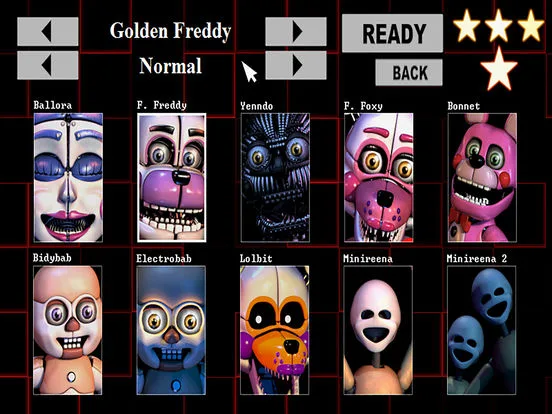
Welcome to Freddy Fazbear's Sister Location! This isn't your typical pizza joint; you're the new night technician, tasked with keeping the animatronics in check after hours. You'll be navigating through vents, managing power, and performing complex repairs while trying to survive the night. It's a story-rich survival horror experience with a unique pixel art style that will keep you on the edge of your seat.
This guide is here to help you conquer every challenge Sister Location throws at you. We'll cover how to get through each of the regular levels like Ballora Gallery and the Breaker Room, as well as the tougher Custom Night challenges such as 'Office: Puppet Master' and 'Office: Funtime Gang.' Plus, we'll show you how to find all the hidden collectibles and unlock every possible ending. Get ready to master the mechanics and uncover all the secrets!
Welcome to your New Job
Welcome to the Ludo guide for Five Nights at Freddy's: Sister Location! Learn the basics of surviving your first shift as a new employee. Get ready for a wild night!
Hey there! So, you've landed a gig at Freddy Fazbear's Pizza, huh? Sounds fun, right? By day, it's all pizza, music, and happy kids with the animatronic band – Bonnie on guitar, Chica on vocals, and Freddy himself rocking the mic. Totally family-friendly!
But when 12:00 AM hits and the doors lock, this place turns into your worst nightmare. Those same animatronics? Yeah, they've got a serious murderous streak. If they catch you, they'll stuff you into one of their suits. Trust me, it's not pleasant inside – all sharp metal and crossbeams. It's a gruesome way to go, and they say it's because they think you're an endoskeleton without a costume. But who knows, maybe there's something a little more… paranormal going on?
Your job is pretty straightforward, though: just survive from midnight until 6:00 AM. Sounds like a piece of cake, right? Let's get you through your first night.
On the Subject of Gameplay Basics
Learn the essential gameplay mechanics of Five Nights at Freddy's: Sister Location, including day length, power consumption, and how to survive the animatronics.
The primary objective in Five Nights at Freddy's: Sister Location is to survive the night by preventing the animatronics from reaching your office. You have three main defenses: cameras, lights, and doors. Each of these actions consumes power, and you have a limited supply. Using multiple defenses simultaneously increases power drain. Running out of power before 6 AM results in a game over, though reaching 6 AM with even a sliver of power can lead to victory.
Day Length
Each in-game hour represents 90 seconds of real-world time. Consequently, a full night lasts 540 seconds, or 9 minutes. This information is useful for gauging how much time remains, especially when nearing 5 AM.
Power Consumption
Power is displayed as a percentage, starting at 99% and depleting to 0%. However, the actual power level is measured in tenths of a percent, beginning at 99.9%. The game rounds down the displayed percentage, so a displayed 99% actually means your power is between 99.9% and 99.0%. When the power drops to 98.9%, the display will change to 98%.
The bars below the percentage indicate the rate of power drain, which increases with more active devices. There's a base drain from passive systems like the fan and office lights. The lights and cameras share a single drain bar, meaning only one can be active at a time. Each closed door adds another drain bar. Therefore, the maximum drain occurs when both doors are closed and either the lights are on or cameras are being viewed, resulting in four usage bars.
The game deducts 0.1% power per second for each active usage bar. For instance, closing one door and viewing cameras results in a 0.3% drain per second, depleting 1% of power approximately every 3 seconds. With a 540-second night, power management is critical.
From Night 2 onwards, an additional power penalty is applied, draining power at increasing intervals:
- Night 2: Every 6 seconds
- Night 3: Every 5 seconds
- Night 4: Every 4 seconds
- Night 5 onward: Every 3 seconds
This escalating drain significantly reduces available power in later nights. By the end of the game, you might only have about 27.9% power available for active use after accounting for base consumption.
Foxy's attacks on a closed door can also drain power, the specifics of which are detailed in his AI section.
Orientation
Learn about the security equipment in Five Nights at Freddy's: Sister Location, including cameras, lights, and doors, and how power management affects your survival.
- 1You have limited security equipment due to budget cuts.
- 2Use your tablet to view 11 camera feeds to track animatronic movement. Access the tablet by moving your mouse over the double-arrow icon at the bottom of the screen.
- 3The cameras cover (press the cover button to crouch behind walls or objects) various locations: Cam 1A (Show Stage), Cam 1B (Dining Area), Cam 1C (Pirate Cove), Cam 2A (West Hall), Cam 2B (West Hall Corner), Cam 3 (Storage Room), Cam 4A (East Hall), Cam 4B (East Hall Corner), Cam 5 (Backstage Area), Cam 6 (Kitchen), and Cam 7 (Restrooms).
- 4Use the lights by pressing a button to illuminate the hallways outside your office. Only one light can be on at a time, and they turn off when you view cameras.
- 5Close the doors on each side of your office as your last line of defense.
- 6Monitor the Usage bar at the bottom left to track power consumption. The office light and desk fan run constantly, draining power. Closing doors, using lights, or viewing cameras increases usage.
- 7If power runs out, the building switches to auxiliary power, leaving doors permanently open. If backup power fails, you will not survive.
- Keep track of animatronic locations using the cameras to anticipate their movements.
- Be ready to react quickly if you see an animatronic in the hallway lights.
- Closing doors is effective, but drains power faster.
- The Kitchen camera (Cam 6) has audio issues, so you may only hear what's happening.
- Foxy is located behind the curtain in Pirate Cove (Cam 1C) and can attack if he leaves.
- Cam 2A (West Hall) triggers Foxy's attack if he leaves Pirate Cove.
- Chica and Freddy often appear in Cam 4B (East Hall Corner) before attacking.
Chica the Chicken
Learn how Chica the Chicken moves and attacks in Five Nights at Freddy's: Sister Location. Discover her pathing, weaknesses, and how to avoid her deadly jumpscare.
Chica the Chicken is the backup vocalist for Freddy Fazbear's band. Her primary motivation is to murder nighttime security guards, with pizza being her secondary love.
The Basics of Chica the Chicken
Chica's behavior is more straightforward than Freddy's. She always starts at the Show Stage and moves to the Dining Area. From the Dining Area, her movements are determined by her current room and a random binary variable that resets every second. This means she can move to one of two locations from any given room.
| Current Room | Destination A | Destination B |
| Dining Area | Restrooms | Kitchen |
| Kitchen | Restrooms | East Hall |
| Restrooms | Kitchen | East Hall |
| East Hall | Dining Area | East Hall Corner |
| East Hall Corner | East Hall | Right Door |
Once Chica reaches the Right Door, her next action depends on whether your right door is open or closed. If the door is open, she enters the office. If it's closed, she retreats to the Dining Area.
An exploit in Chica's movement is that she can only move into an attacking position from the East Hall Corner. This is also where Freddy attacks, so if you see Chica there, it can serve as advance warning for a possible attack, as her presence overrides Freddy's on the camera feed. Generally, you don't need to monitor Chica unless she is in the East Hall Corner; otherwise, you are safe from her.
If Chica manages to enter the office, your right door and right light will stop working, producing only a "click" noise when activated. At this point, keeping her out is a lost cause. However, Chica never attacks while the camera is down. By not looking at the camera, you can avoid her attack indefinitely. If you do lower the camera, she will move in for the kill. If you try to avoid lowering the camera, she will force it down herself after approximately 30 seconds. The best strategy is to prevent her from entering the office at all.
Similar guides you might like





100% Human-Written. Community Verified. Learn how Ludo.guide verifies content