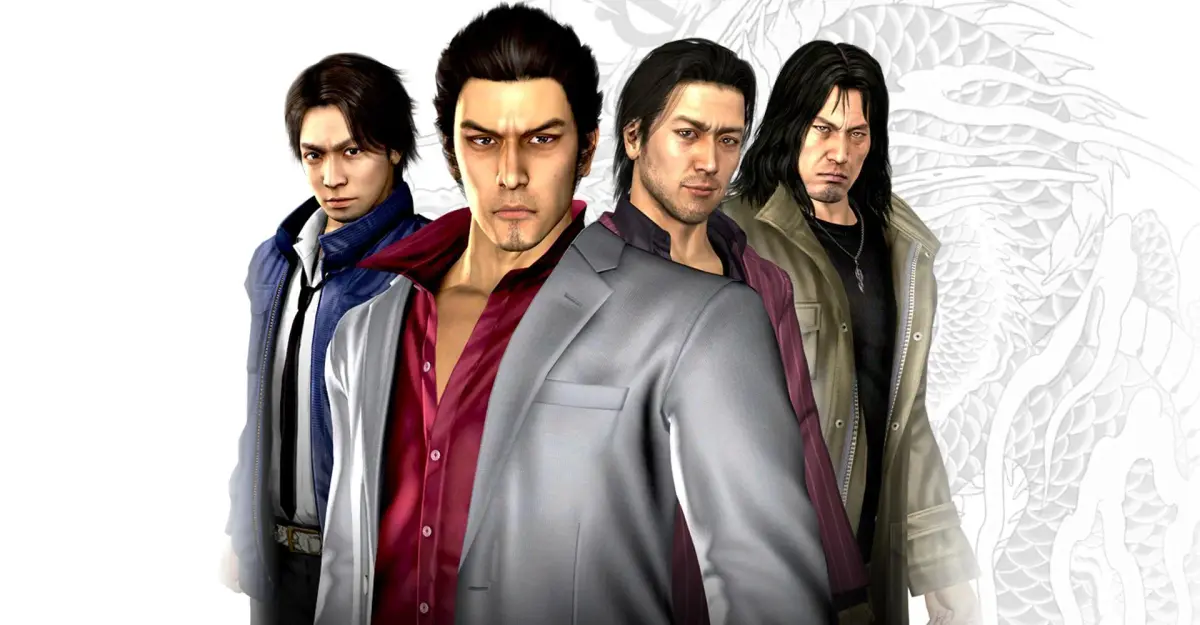
Welcome to Kamurocho, player! Yakuza 4 throws you into the neon-drenched streets of Tokyo as four distinct protagonists: a charismatic yakuza lieutenant, a stoic prison escapee, a determined reporter, and a legendary gangster. Each has their own story, their own fighting style, and their own reasons for getting tangled up in the city's underworld. You'll be brawling through alleyways, uncovering conspiracies, and experiencing a slice of 1980s Japanese life, all in a sprawling action-adventure that blends intense combat with compelling drama and unexpected humor.
This guide is your key to mastering everything Yakuza 4 has to offer. We'll walk you through the intertwined storylines of Shun Akiyama, Taiga Saejima, Masayoshi Tanimura, and Kazuma Kiryu, ensuring you don't miss a single crucial detail. From tracking down every single side story and collectible scattered across Kamurocho to conquering challenging boss fights and understanding the nuances of the game's combat system, we've got you covered. Get ready to dive deep and uncover all the secrets this epic tale holds.
FAQ
Answers to common Yakuza 4 questions, including how to save, who you play as, and how to grind experience and money.
- 1What is Yakuza 4? Yakuza 4 is the fourth mainline game in SEGA's Yakuza series, originally released in 2010. It's an action adventure game with RPG elements where you play a Japanese crime story intermixed with an exploration of Japan.
- 2How can I get this game? If you're a Western player looking to play Yakuza 4, you can buy the original disc release for the PlayStation 3, buy the remastered version standalone (digitally on PlayStation, Xbox, and Steam), or buy the "Yakuza Remastered Collection" (available digitally on PlayStation, Xbox, or Steam, and physically only for the PlayStation 4).
- 3Is this a good game to start the Yakuza series with? While Yakuza 0 is recommended as the best entry to start with, followed by Yakuza Kiwami and Kiwami 2, Yakuza 4 is a decent entry that introduces new characters and is not heavily focused on Kiryu. You can play the games in almost any order.
- 4How do I save in this game? Saving is done manually at payphones (marked with an "S" on the (minimap (the small circular map in the bottom-left corner of your screen))), at your established hideouts, or between chapters. Save before critical points to avoid losing progress.
- 5Is there anything different from the original Japanese version? The minigame "Answer X Answer" has been removed from arcades in the Western release due to localization difficulties.
- 6What is this game rated? This game is rated "M" for Mature by the ESRB, with content descriptors including Blood, Intense Violence, Sexual Themes, Strong Language, and Use of Alcohol. It depicts Japanese organized crime with brutal combat and "Heat Actions" (special combat moves), but violence is not overtly gory, and sexual content is muted.
- 7Who do I play as in this game? You play as four characters: Shun Akiyama (moneylender), Taiga Saejima (imprisoned yakuza), Masayoshi Tanimura (police officer), and series protagonist Kazuma Kiryu.
- 8Can I go back to playing as other characters after finishing their part? Only in the finale and post-game content. During their individual story parts, you are confined to one character. In the finale, you can switch characters, and money and the Item Box are shared, though individual inventories remain separate.
- 9What's an easy way to grind experience? Experience is generally easy to gain through substories and side activities. Saejima may find it harder; give him the Yakuza Training Gear if needed.
- 10What's an easy way to grind money? Early on, use gambling establishments and cheat items (found in Lockers) to acquire chips or wooden tags for Platinum Plates, which sell for cash. The Zero Jewel can provide a significant amount of money.
- Save frequently at payphones or hideouts, especially before major story points.
- Consider starting the series with Yakuza 0 for the best introduction.
- Lean on gambling cheat items found in lockers for early money grinding.
- Equip Saejima with the Yakuza Training Gear if he struggles with experience gain.
FAQ (2)
Answers to common Yakuza 4 questions, including how to save, how to get the game, and what it's rated.
- 1What is Yakuza 4? Yakuza 4 is the fourth mainline game in SEGA's Yakuza series, originally released in 2010. It's an action adventure game with RPG elements where you play a Japanese crime story intermixed with an exploration of Japan.
- 2How can I get this game? If you're a Western player looking to play Yakuza 4, there are a few ways: You can buy the original disc release for the PlayStation 3. You can buy the remastered version standalone. Digitally, the remaster is available on PlayStation, Xbox, and Steam. You can buy the "Yakuza Remastered Collection" on PlayStation, Xbox, or Steam. The collection is available on all platforms digitally. If you're looking for a physical copy, it's only available for the PlayStation 4.
- 3Is this a good game to start the Yakuza series with? If you're trying to get into the series, my suggestion is to start with Yakuza 0. At the time of this writing, Yakuza 0 has been released as a "PlayStation Hits", making it a bargain price. It's by far the best entry to the series. After that, I'd suggest Yakuza Kiwami, and then Kiwami 2, and then you can play the Remastered Collection. That said, I'm not your Yakuza-mom. You really can play the games in just about any order. Yakuza 4 in particular is a pretty decent entry, as it introduces a lot of new characters and isn't really Kiryu-heavy.
- 4How do I save in this game? Saving is only done manually in this game. You can save at payphones throughout the city (marked with an "S" on the map), or at your established hideouts in the various locations, or between chapters. Make sure you save the game before going to critical points so you don't lose your progress if a mistake is made.
- 5Is there anything in this game different from the original Japanese version of Yakuza 4 on the PS3? Just one. The minigame "Answer X Answer" has been removed from the arcades. It's a very difficult-to-localize quiz game that required knowledge of Japanese trivia, so it didn't make the cut.
- 6What is this game rated? This game is rated "M" for Mature by the ESRB. It includes the content descriptors of: Blood, Intense Violence, Sexual Themes, Strong Language, and Use of Alcohol. In this game, you enter the world of Japanese organized crime, which includes a lot of illegal stuff. The combat in this game can be brutal, especially the "Heat Actions" you perform in combat, but while blood sprays out a lot, it's never too overt. There is no visible gore on screen. Anything considerably violent is not shown on screen. As far as sexual content is concerned, references are made to sex, but it's all very muted.
- 7Who do I play as in this game? In this game, you play as four characters. Three are new to the series: moneylender Shun Akiyama, imprisoned yakuza Taiga Saejima, and police officer Masayoshi Tanimura. The fourth character is the series protagonist: Kazuma Kiryu.
- 8Can I go back to playing as the other characters after I finish their part? Only in the finale and post-game content. During the numbered parts, you will be confined to playing as the one character. Once in the finale, you'll have the options of switching characters, and money and the Item Box will all be shared, although characters will still have their own individual inventories.
- 9What's an easy way to grind experience? It shouldn't be difficult to rack up experience in this game, given the distribution of substories and side activities. Saejima may have the hardest time with it. Give him the Yakuza Training Gear if he needs help.
- 10What's an easy way to grind money? Early in the game, using the gambling establishments and associated cheat items can help you get enough chips or wooden tags to exchange for Platinum Plates, which can be sold for cash. The Lockers have a lot of cheat items. The Zero Jewel in particular can get you a boatload of money.
- Save at payphones (marked with an "S" on the map), hideouts, or between chapters.
- Save before critical points to avoid losing progress.
- Yakuza 0 is recommended as a starting point for the series.
- Saejima may need the Yakuza Training Gear for experience grinding.
- Use gambling establishments and cheat items (like the Zero Jewel) for early money grinding.
Basic Controls
Get a grip on Yakuza 4! This guide breaks down exploration, menu navigation, and combat controls so you can start your journey through Kamurocho like a pro.
Alright, let's get you moving and grooving in Yakuza 4. Before you dive headfirst into the streets of Kamurocho, it's super important to know your way around the buttons. Think of this as your cheat sheet to everything from walking down the street to throwing down with some thugs.
We've got controls broken down into three main categories: how you explore the world, how you navigate menus, and how you handle yourself in a scrap.
Exploration Controls
This is how you'll be getting around Kamurocho when you're not in a fight. It's pretty standard stuff, but knowing it cold will make exploring feel natural.
| Control | Action |
| Left Stick | Move your character |
| Right Stick | Move the camera |
| X | Interact with people, objects, or doors |
| L1 | Hold this down to walk instead of run. Handy for sneaking or just taking in the sights without sprinting everywhere. |
| L2 | Tap this to quickly center the camera behind your character. Great for reorienting yourself on the fly. |
| R3 (Click Right Stick) | Switch to a first-person view. Useful for checking out details up close or aiming. |
| Start | Opens up the main Pause Menu, where you can save, check your stats, and more. |
Menu Controls
You'll be spending a fair bit of time in menus, whether it's managing your inventory, checking your phone, or looking at the map. Here's how to get around.
| Control | Action |
| Left Stick and D-Pad | Move the cursor around menus. Pretty straightforward. |
| X | Confirm your selection. On the Items screen, this is how you equip gear or use items. |
| Circle | Cancel out of a menu or go back. Your best friend when you make a mistake. |
| Square | Used for sorting options, especially handy in your Items screen to organize everything. |
| Triangle | Discard items. Be careful with this one – make sure you really don't need it anymore! |
| L1 and R1 | These are used in some specific menus to switch between different tabs or screens, like toggling between character stats and inventory. |
| Start | Exits you out of the menu entirely, back to the game. |
Combat Controls (Typical)
Now for the fun part! When things get heated, you'll need to know these commands like the back of your hand. Keep in mind that some moves might have slight variations depending on the character or situation, but this covers the basics.
| Control | Action |
| Left Stick | Move your character around the fight. |
| Right Stick | Adjust the camera during combat. Keep an eye on your surroundings! |
| Square | Unleash your Rush Combo. These are quick, rapid attacks. Good for staggering opponents. |
| Triangle | Perform a Heavy Attack. These are slower but hit harder. This is also your button for Finishing Blows and devastating Heat Moves when you've built up enough 'Heat'. |
| X | Evade. Use this to dodge incoming attacks. Timing is key here! |
| Circle | Grab an enemy or a nearby weapon. Once grabbed, you can throw them or use them as a makeshift weapon. |
| L1 | Guard. Hold this to block incoming physical attacks. Doesn't work against grabs, though! |
| R1 | Enter Fighting Stance. This primes you for more aggressive moves and can sometimes lead into combos. |
| L2 | Center the camera. Just like in exploration, this helps you keep track of the action. |
| R2 | Taunt. While it might not seem useful, taunting can sometimes build your 'Heat' meter faster, allowing for powerful Heat Actions. |
| Start | Brings up the Pause Menu, even in the middle of a fight. |
| D-Pad Left, Up, Right | Quickly pull out a weapon you've assigned to that direction. Essential for switching on the fly. |
Don't worry if it seems like a lot at first. The game does a great job of introducing these as you play. For a deeper dive into the nitty-gritty of combat, make sure to check out the dedicated Combat and Abilities section!
Menus
Navigate Yakuza 4's menus: Title, Pause, and Options. Learn about Special Games, substories, and camera controls.
Title Menu
The Title Menu allows you to start a new game, load a saved adventure, or access special modes. Under "Special Games," you can play multiplayer versions of Billiards, Darts, Golf, and Bowling once their trophies are earned, as well as Haruka's "I Wanna Change Myself" karaoke from Yakuza 3. "Extra Modes" lets you view downloaded Item Packs from Naomi's Palace. The Options menu here is the same as the one accessible from the Pause Menu. Additional options appear after completing the game.
Pause Menu
The Pause Menu is your hub for managing your adventure. The "Items" section displays your inventory, with a limit of 20 items; Valuables can be viewed by pressing R1 and do not count towards this limit. The "Map" shows your current area and points of interest. "Abilities" lists skills you can learn using Soul Points, with each character having unique sets. Your "Cell Phone" allows you to check messages. "Character Profiles" provides a rundown of the game's cast. "Substories" tracks your progress on side missions. The "Completion List" offers a complete overview of your progress in various activities:
- Coin Lockers: Track progress for locker sets in Taihei Boulevard and the Underground.
- Food/Drink: View all restaurants and their offerings.
- Weapon Modding: Monitor progress on weapons crafted at Kamiyama Works.
- Allies: (Akiyama only) Find and befriend NPCs.
- Revelations: Track progress on learning Revelations.
- Minigames: See available minigames and their completion requirements.
- Hostesses: Track relationship progress with the seven Hostesses.
- Hostess Maker: (Akiyama only) Track substories for the three Hostesses in Hostess Maker.
- No. 1 Hostess Maker: (Akiyama only) Track progress in getting hired hostesses to #1 status.
- Saigo's Training: Track progress with Akiyama's Training Master.
- Master's Helper: Track progress with Saejima's Training Master.
- Nair's Training: Track progress with Tanimura's Training Master.
- Coliseum: Track progress in Coliseum tournaments.
- Fighter Maker: (Saejima only) Track progress with fighters at Sodachi Dojo.
- Police Scanner: (Tanimura only) Track progress with crimes reported on the scanner.
- Gang Encounters: (Kiryu only) Track progress with gangs in the city.
- IF7-R: Track progress with the IF7-R training machine.
- Heat Actions: View a list of completed Heat Actions.
- Memos: Review helpful hints received in the game.
- Options: Adjust various game settings.
Options Menu
Accessible from both the Title and Pause Menus, the Options Menu allows you to customize your gameplay experience. "Camera Control" lets you adjust Vertical, Horizontal, and First-Person camera settings, with options for Normal and Inverted controls. "Minimap (the small circular map in the bottom-left corner of your screen) Rotation" can be toggled on or off, causing the minimap (a small map usually displayed on the HUD (Heads-Up Display)) to rotate with the camera. "Subtitles" can be turned off, disabling subtitles in major cutscenes. "Event Skip" allows you to skip cutscenes (sequences of events, often showing story progression) by pressing the Options button. "Screen Brightness" lets you adjust the display's brightness if needed.
Similar guides you might like






100% Human-Written. Community Verified. Learn how Ludo.guide verifies content