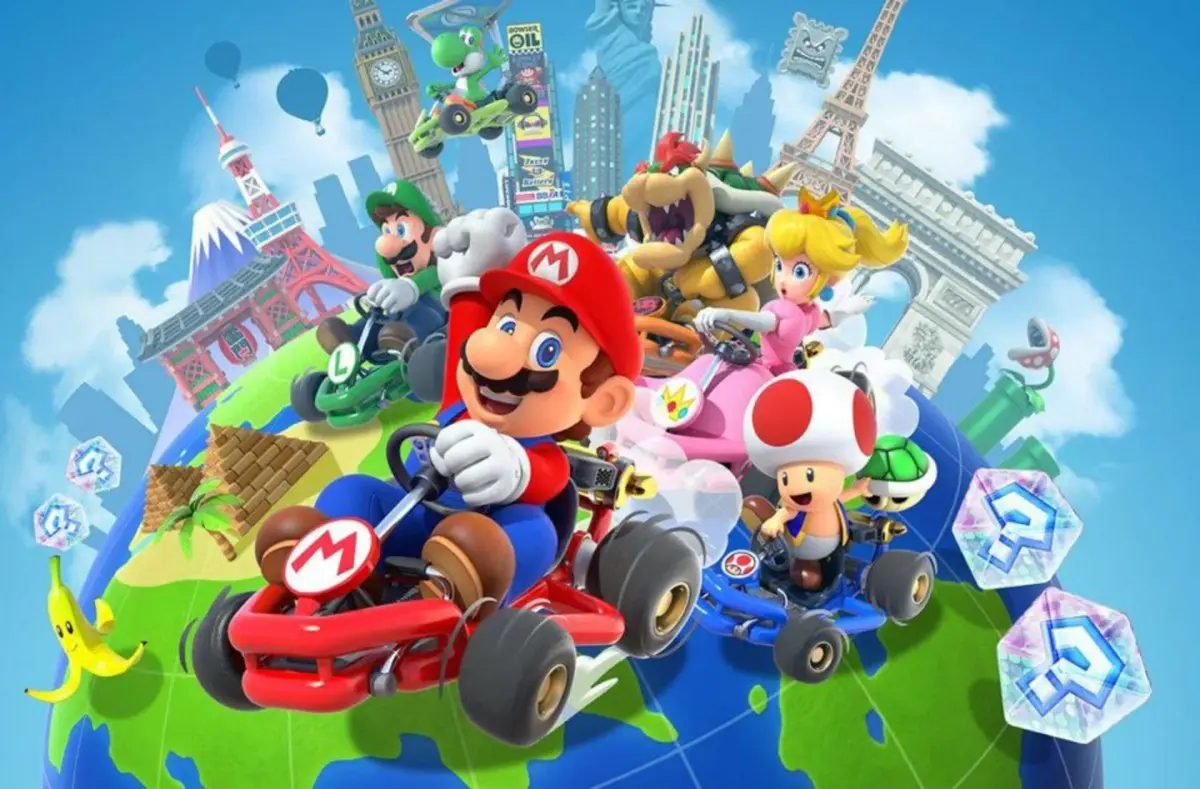
Welcome to Mario Kart Tour, Nintendo's 2019 take on the classic kart racing series for iOS and Android! It's a fast-paced, fun, and challenging race where you'll master tracks, collect drivers and karts, and compete online. Whether you're a casual player looking for a good time or a seasoned racer aiming for the top, Mario Kart Tour offers endless enjoyment with its familiar characters and exciting courses.
This guide is your ticket to dominating the competition. We'll dive deep into getting started, tackling daily challenges, and mastering advanced techniques like drifting and strategic item usage. Learn how to collect everything the game has to offer and conquer every track, ensuring you're always ready for the next race.
Welcome (Please Read)
New to Mario Kart Tour? This guide helps you navigate the game's updates, karts, gliders, tours, and cups. Start your racing journey here!
Enter Project Mario Kart Tour!
Hey there! So you're diving into Mario Kart Tour? Awesome! This project is all about keeping track of the game's constant stream of updates, from new drivers and karts to all the exciting Tours and cups. Think of this as your friendly guide to making sure all the articles about Mario Kart Tour are up-to-date and awesome.
We're working hard to cover everything, including:
- Every Kart
- Every Glider
- Every Tour
- Every Tour Cup
We also aim to create templates for all of these, so you can easily find the stats and info you need. It's a big job, especially with new content dropping every two weeks, but we're on it!
You'll notice there are a lot of articles that need a little extra love – currently, there are 40 articles that are considered stubs and need more information. We also have 0 articles that need general cleanup. If you're looking to contribute, helping to expand these stubs is a fantastic way to start!
We're also focusing on adding details like Spotlights and rewards for tours, and creating specific cup pages for each tour, like the Peach Cup (Princess Tour) (2023)_(2023)).
A heads-up: The sheer volume of content in Mario Kart Tour means there are TONS of articles to create and maintain. It can feel a bit overwhelming at first, but don't worry! We've got navigation templates to help you find your way around. Just be prepared – there's a lot to discover!
So, jump in, explore, and let's make this the best resource for Mario Kart Tour!
Welcome (Please Read) (2)
Welcome to Mario Kart Tour! Learn about unlockable characters, vehicles, and tracks. This guide does not include DLC.
This guide for Mario Kart Tour on the Nintendo Switch 2 provides complete information on unlockable characters and vehicles, as well as a list of all playable locations and tracks. For easier navigation, please refer to the Table of Contents page.
What this guide includes:
- A list of all Playable Characters and how to Unlock Them
- A list of all Playable Vehicles and how to Unlock Them
- A list of all Playable Locations and Tracks
- Additional Unlockable Items
What this guide does NOT include:
- DLC (Downloadable Content)
- Use the Table of Contents for easier navigation within the guide.
- Refer to the next section, "The Screen and Heads-Up Display (HUD (heads-up display — the on-screen icons showing health, ammo and the minimap))", for information on the game's interface.
The Screen and Heads-Up Display (HUD)
Understand the Mario Kart Tour screen and Heads-Up Display (HUD), including how to get items from ?Blocks.
The main screen in Mario Kart Tour displays all the necessary information for your races. You can collect random Items by driving over ?Blocks. Items can also be found scattered on the ground, similar to how Food bags appear.
- Run over ?Blocks to receive random Items.
- Items can also be found on the ground, just like Food bags.
Tips & Tricks
Boost your Mario Kart Tour gameplay with essential tips and tricks! Learn about Drafting, Drifting, Boost Jumps, Wall Riding, Quick Starts, and strategic item usage.
Below are some general Tips & Tricks that are useful to keep in mind in Mario Kart World. It applies to most tracks, so check it out and consider how they might be useful to you.
Drafting
Driving close behind the Rider in front of you for time time will block the incoming wind. As a result, your rider will get a speed boost. This is known as Drafting.
Drifting
In Mario Kart World you can "hop" with the R button. Hold it down when you take a sharp corner to Drift. At the end of a successful drift, you will gain a speed boost. Be careful though, for less experienced drivers or Karts with poor handling, this can often result in collisions or falls off the track.
Boost Jump
After driving over any kind of bump or ledge where there's air beneath you, if you tap "R" you will perform a Boost Jump, where you character will spin and get a boost of speed. This is also one method of Wall Riding.
Charge Jump
Similar to the Boost Jump, but more difficult to execute. While driving and holding down the accelerator (gas) you must hold down the "R" button as well to begin the Charge. You'll start to see some sparks below you. Once you release this, you will perform a Charge Jump. This is the other method of Wall Riding.
Wall Riding
A tricky maneuver, but required if you want to unlock some items in the game. Essentially you need to be launched, with speed, into the air and facing the Wall. Hence the Charge Jump or Boost Jump's being the methods to do this.
Note: Items, like Mushrooms and Feathers can also assist with Wall Riding.
Quick Start and Burnout
At the beginning of a race, when the Lakitu holds up the light that counts down from 3, 2, 1 and then GO - you have the ability to start your engine.
If you do this immediately after the second light and hold it down, you will get a Quick Start. You can tell that you've done it right by the sudden burst of speed and the flames from your exhaust.
However, if you begin too early, your engine will stall and will cause your Rider to begin with a set-back, so time it well.
Use Items Wisely
Some Items seem fairly obvious in their use. For example, if you get a Mushroom, you will get a Boost in Speed. However, if you use this at the wrong time, you can collide, veer off the track or fall off all together. Similarly, when deploying items, they will "hang behind" you in most cases. If someone has shot an item at you from behind, you can hit L or down+L (depending on the item) to drop it behind you and if you're lucky, it will destroy the item and shield you from a hit. If you have a trio of bananas or shells, they circle you. Sometimes keeping them just like that to protect you from colliding Riders is more valuable that shooting/dropping them. Also, use the Super Horn, if timed right, can even stop the dreaded Spiny (Blue) Shell.
Get to Know the Tracks
This may sound obvious, but knowing the track can easily make the difference when taking an alternate route, hitting Speed Boosts and using the jumps/ramps for additional speed, interacting with the Stage Vehicles or using Items to create a short-cut for yourself.
Similar guides you might like




100% Human-Written. Community Verified. Learn how Ludo.guide verifies content